
 To Next Page
J
James RobertsJul 27, 2025
When I power on my asus rock prime b760 ax a motherboard powerbutton blinks no display monitor good cables good no gpu

When I power on my asus rock prime b760 ax a motherboard powerbutton blinks no display monitor good cables good no gpu
Precautions to prevent electrical shock during operation and component handling.
Guidelines for safe installation and handling of the motherboard and components.
Warnings and guidance for safe handling of button/coin batteries.
Provides essential precautions before installing components.
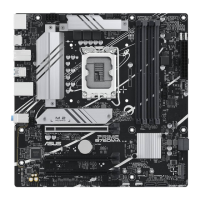
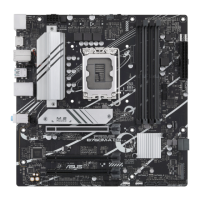
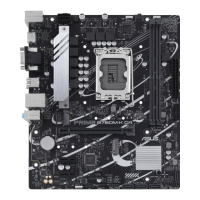
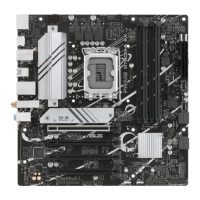
Provides a visual and descriptive overview of the motherboard layout.
Details the various components and connectors on the motherboard.
Describes the LGA1700 socket and compatible processors, and DDR5 memory slots.
Lists the types and configurations of PCI Express slots.
Describes motherboard connectors and headers.
Describes connectors for system fans and motherboard power supply.
Explains the M.2 slots for storage devices and SATA ports.
Details front panel USB Type-C connectors and USB 3.2 Gen 1 headers.
Describes internal motherboard headers.
Explains USB 2.0 headers and RGB headers for LED strips.
Describes internal motherboard connectors.
Describes headers for CMOS battery, COM ports, and front panel audio.
Information about the CPU socket and installation.
Provides instructions and precautions for installing the CPU.
Details DDR5 memory installation and compatibility.
Provides instructions for installing M.2 storage devices.
Guide to accessing and configuring BIOS settings.
How to access BIOS settings during system startup.
Alternative methods to enter BIOS after POST.
Describes the different modes (EZ, Advanced) within the BIOS setup.
Step-by-step guide for updating the BIOS.
Instructions for updating the BIOS using EZ Flash 3.
Instructions for recovering a corrupted BIOS file.
Steps to restore a corrupted BIOS using a USB drive.
Details about ASUS's voluntary manufacturer's commercial guarantee.
 General
| Form Factor | Micro ATX |
|---|---|
| Chipset | Intel B760 |
| Socket | LGA 1700 |
| Memory Type | DDR5 |
| Maximum Memory | 128GB |
| Memory Slots | 4 |
| PCIe x16 Slots | 1 |
| PCIe x1 Slots | 2 |
| SATA Ports | 4 |
| M.2 Slots | 2 |
| Wi-Fi | Wi-Fi 6 |
| Audio | Realtek ALC897 |
| Bluetooth | Bluetooth 5.2 |
| Networking | 2.5G Ethernet |
| Video Outputs | HDMI, DisplayPort |
| RAID Support | RAID 0, 1, 5, 10 |
| BIOS | UEFI AMI |
| USB Ports (Internal) | 1 x USB 3.2 Gen 1 header (supports 2 USB 3.2 Gen 1 ports) 1 x USB 2.0 header (supports 2 USB 2.0 ports) |