EasyManua.ls Logo

Asus Radeon RX 550 - User Manual

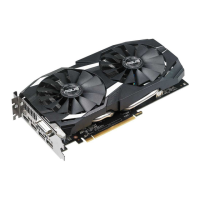
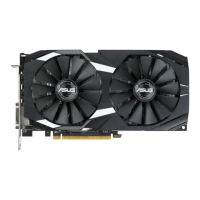
Asus Radeon RX 550
321 pages
Print Icon
To Next Page IconTo Next Page
Loading...
Graphics Card
Drivers and Utilities
Installation Guide
Q7624_Nvidia_Graphic_Card_Manual1 1 22/10/13 15:17:13
Questo manuale d’istruzione è fornito da trovaprezzi.it. Scopri tutte le offerte per Asus Radeon RX 550 4GB o
cerca il tuo prodotto tra le migliori offerte di Schede Grafiche

Table of Contents

Questions and Answers

  • N
    Noah GriffithJul 30, 2025
    What to do if there is no display after installing my Asus Video Card?
    • X
      xthompsonJul 30, 2025
      If your Asus Video Card displays nothing after installation, ensure the card is correctly seated in the slot, not tilted or skewed. Verify that the signal cable is properly connected to both your monitor and the graphics card. Check your motherboard's documentation to confirm it supports your graphics card's specifications, such as AGP voltage. Also, check that the graphics card’s auxiliary power cables are properly connected to the power supply unit. Ensure your power supply unit meets the system's minimum power requirements. Finally, confirm that the system control panel cables are properly connected, and your CPU, CPU fan, and memory DIMMs are in good working condition and properly connected.

Summary

Notices

Federal Communications Commission Statement

Device compliance with FCC rules and conditions for operation.

Canadian Department of Communication Statement

Apparatus compliance with Canadian radio noise emission limits.

REACH

Information on chemical substance compliance with REACH regulations.

Safety Information

Electrical Safety

Precautions for safe electrical connections and handling of power supplies.

Operation Safety

Guidelines for safe product installation and handling to prevent damage.

About This Guide

Conventions Used in This Guide

Explanation of symbols and their meanings used in the manual.

Where to Find More Information

Resources for additional product and software information.

Support CD Information

VGA Drivers

Installing the VGA Driver

Step-by-step instructions for installing the VGA driver.

Uninstalling the VGA Driver

Procedures for removing the VGA driver from the system.

ASUS GPU Tweak Utility

Installing ASUS GPU Tweak

Guide to installing the ASUS GPU Tweak utility.

Uninstalling ASUS GPU Tweak

Procedures for removing the ASUS GPU Tweak utility.

Other Information

Browse the Support CD

Instructions for browsing the contents of the support CD.

Contact Information

How to find contact details for ASUS support.

Viewing the Read Me File

Instructions for accessing the readme text file.

Appendix: Basic Troubleshooting

Asus Radeon RX 550 Specifications

General IconGeneral
GPU ArchitecturePolaris
Stream Processors512
Base Clock1100 MHz
Boost Clock1183 MHz
Memory Size2 GB or 4 GB
Memory TypeGDDR5
Memory Bus128-bit
TDP50 W
DirectX12
OutputsDVI-D, HDMI, DisplayPort
InterfacePCIe 3.0 x8
OpenGL Support4.5
Recommended PSU300 W
Slot WidthDual-slot

Related product manuals