
 Need help?
Do you have a question about the Asus ROG STRIX X299-XE GAMING and is the answer not in the manual?
Guidelines for preventing electrical hazards during system handling and operation.
Instructions for safe handling and operation of the motherboard and system components.
Essential safety and handling precautions before installing components.
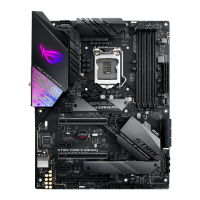
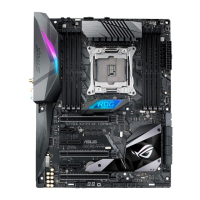
Visual guide to the motherboard's layout and component placement.
Detailed listing and location of motherboard connectors, jumpers, buttons, and slots.
Information and guidance on the CPU socket and installation.
Details on DDR4 DIMM slots and memory installation.
Information on PCIe slot configurations and usage.
Instructions for connecting ATX power supply connectors.
General steps for building a PC system with the motherboard.
Step-by-step guide for installing the CPU into the socket.
Instructions for installing the CPU heatsink and fan assembly.
Steps for mounting the motherboard into the PC chassis.
Guide for installing memory modules into the DIMM slots.
Instructions for connecting the ATX power supply to the motherboard.
Steps for connecting SATA storage devices.
Guide for connecting front panel audio, USB, and power/reset buttons.
Instructions for installing PCIe expansion cards like graphics cards.
Guide for installing M.2 SSD modules.
Overview of utilities for updating the motherboard BIOS.
Detailed steps for updating BIOS using the USB BIOS Flashback feature.
Guide to rear panel I/O ports and audio connections.
Identification and definition of rear panel connectors.
Steps for powering on the system for the first time.
Guide on how to enter and navigate the BIOS setup program.
Step-by-step procedure for creating RAID volumes via EZ Tuning Wizard.
Configuration options for CPU and memory overclocking.
Detailed configuration settings for CPU and system devices.
Utility for updating the BIOS using a USB flash drive.
General information and risks associated with BIOS updates.
Utility for updating the BIOS from within the Windows environment.
Methods for updating BIOS via USB or Internet using EZ Flash 3.
Utility for recovering a corrupted BIOS file.
Overview of supported RAID levels and configurations.
Guide to configuring Intel Rapid Storage Technology in BIOS.
Procedure for creating a RAID volume using Intel RST.
 General
| Socket | LGA 2066 |
|---|---|
| Chipset | Intel X299 |
| Form Factor | ATX |
| Memory Slots | 8 |
| Max Memory | 128GB |
| Memory Types | DDR4 |
| M.2 Slots | 2 |
| SATA 6Gb/s Ports | 8 |
| Audio | ROG SupremeFX S1220A 8-Channel High Definition Audio CODEC |
| Networking | Intel I219-V Gigabit LAN |
| RGB Lighting | Aura Sync |
| Memory Speed | up to 4266MHz (OC) |
| Wireless | No |




 To Next Page