Quick Start Guide2
ENGLISH
Package contents
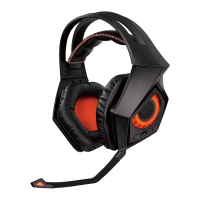
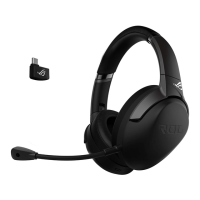
• ASUSROGStrixWirelessGamingHeadset • 3.5mm4-polecable
• 2.4GHzUSBadapter • 3.5mmaudio/Micsplitteradapter
• Mini-USBtoUSBchargingcable • QuickStartGuide
Safety Guidelines
• Ifyourdevicedoesnotworkproperlyandtroubleshootingdoesnotwork,
unplugthedeviceandcontacttheASUSServiceCenterforassistance.DONOT
attempttoserviceorxthedeviceyourself.
• DONOTdisassemblethedeviceasdoingsowillvoiditswarranty.
• Keepthedeviceawayfromliquid,humidityormoisture.Operatethedevice
onlywithinthespecictemperaturerangeof0
o
C(32
o
F) to 40
o
C(104
o
F).When
thedeviceexceedsthemaximumtemperature,unplugorswitchothe
devicetoletitcooldown.
Battery care
• Donotdisassembleorremovethebattery.Doingsomaycauseharmor
physical injury.
• Followthewarninglabelsforyourpersonalsafety.
• Riskofexplosionifbatteryisreplacedbyanincorrecttype.
• Donotthrowthebatteryinre.
• Stopusingthedeviceifthereisbatteryleakage.
• Thebatteryanditscomponentsmustberecycledordisposedproperly.
• Keepthebatteryandothersmallcomponentsoutofchildren’sreach.
Proper disposal
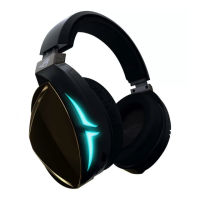
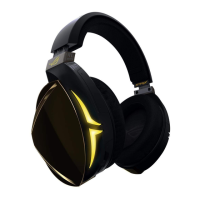
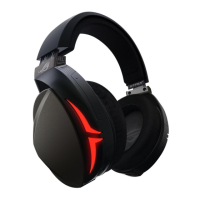
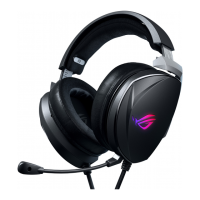
WirelessGamingHeadset 5. Volumedownbutton
microphoneboom 6. Powerbutton
upbutton 7. Pairingbutton
mute/unmutebutton
DO NOTthrowthisproductinmunicipalwaste.Thisproducthasbeen
designedtoenableproperreuseofpartsandrecycling.Thesymbolofthe
crossedoutwheeledbinindicatesthattheproduct(electrical,electronic
equipmentandmercury-containingbuttoncellbattery)shouldnotbe
placedinmunicipalwaste.Checklocalregulationsfordisposalofelectronic
products.
DO NOTthrowthebatteryinmunicipalwaste.Thesymbolofthecrossed
outwheeledbinindicatesthatthebatteryshouldnotbeplacedinmunicipal
waste.
ConnectyourwirelessUSBadaptertoyourcomputer’sUSBport.
yourwirelessUSBadapter,pressandholdthepairingbuttonuntiltheLED
starts flashing rapidly.
yourStrixwirelessheadset,pressandholdthepowerbuttonuntiltheLED
starts flashing rapidly.
LEDonyourStrixwirelessheadsetturnstosolidlight,indicatingthatthe
pairing process is completed.
the3.5mm4-poleconnectortoyourStrixwirelessheadsetandmobile
WhenconnectingyourStrixwirelessheadsettoyourmobiledevice:
donotneedtopoweronyourStrixwirelessheadset.
volumeup/downbuttonsarenotavailable.


 To Next Page