10
Frequently Asked Questions (FAQs)
After following the steps, I still cannot access the wireless router’s web
graphics user interface (web GUI) to congure the wireless router settings.
A. Disable the proxy server, if enabled.
Windows® 7
1. ClickStart > Internet Explorertolaunchtheweb
browser.
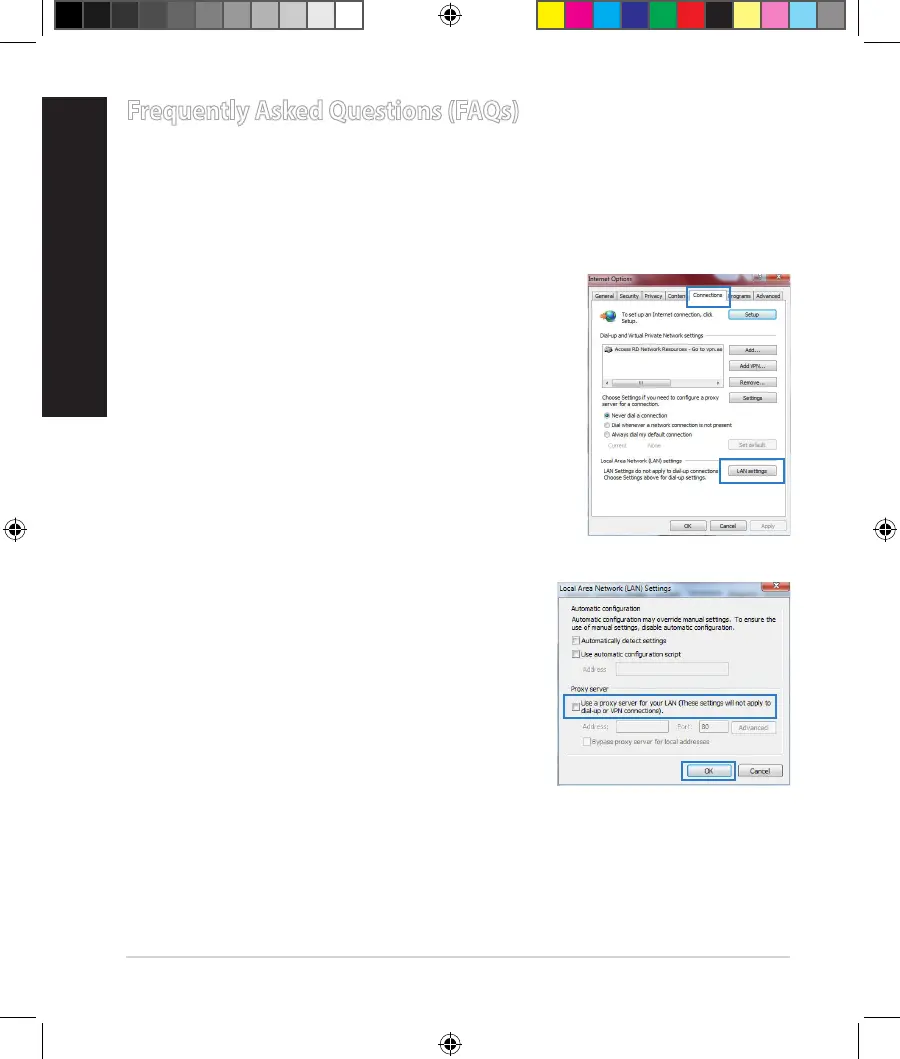
2. ClickTools > Internet options > Connections tab
> LAN settings.
3. FromtheLocalAreaNetwork(LAN)Settings
screen,untickUse a proxy server for your
LAN.
4. ClickOKwhendone.
NA11363_RT-AC1750_QSG.indb 10 2016-02-22 16:25:07


 To Next Page