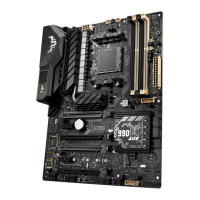
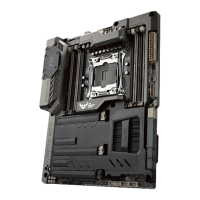
ASUS SABERTOOTH X99
1-23
Chapter 1
40-LANE CPU PCI Express 3.0 operating mode
VGA configuration PCIe 3.0/2.0 x16_1 PCIe 3.0/2.0 x16_2 PCIe 3.0/2.0 x16_3
Single VGA/PCIe
card
x16 (single VGA
recommended)
N/A N/A
Dual VGA/PCIe
cards
x16 x16 N/A
Triple VGA/PCIe
cards
x16 x16 x8
28-LANE CPU PCI Express 3.0 operating mode
VGA configuration PCIe 3.0/2.0 x16_1 PCIe 3.0/2.0 x16_2 PCIe 3.0/2.0 x16_3
Single VGA/PCIe card
x16 (single VGA
recommended)
N/A N/A
Dual VGA/PCIe cards x16 x8 N/A
Triple VGA/PCIe cards x16 x8 x4
• We recommend that you provide sufcient power when running CrossFireX™ or SLI™
mode.
• Connect a chassis fan to the motherboard connector labeled CHA_FAN1-4 when
using multiple graphics cards for better thermal environment.
A B C D E F G H
PCIe x16_1 shared – – – – – – –
PCIe x16_2 shared – – – – – – –
PCIe x16_3 shared – – – – – – –
PCIe x1_1 – – – shared – – – –
PCIe x4_1 – – shared – – – – –
ASM 1142 shared – – – – – – –
SMBus Controller – – shared – – – – –
SATA #0 – shared – – – – –
GbE Controller – – – – shared – – –
EHCI #0 – – – – – – – shared
EHCI #1 – – shared – – – – –
XHCI Controller – – – – – – – shared
RTL 8111GR – – – shared – – – –
Intel
®
LAN I218 – – shared – – – – –
High Denition Audio – – – – – – shared –




 To Next Page
