EasyManua.ls Logo

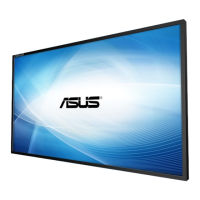
Asus SE465-Y - User Manual

Asus SE465-Y
65 pages
Print Icon
To Next Page IconTo Next Page
Loading...
SE465-Y/SE555-Y/SE655-Y
LCD Display
User Guide

Table of Contents

Questions and Answers

  • A
    Amy MuellerAug 10, 2025
    What to do if my Asus SE465-Y has no picture?
    • M
      Mary CurryAug 10, 2025
      If your Asus monitor isn't displaying a picture, try these steps: First, ensure the display and the signal source device are both turned on. Check the power indicator on the display. Next, verify that all cable connections are secure. Finally, confirm that the output resolution selected on your computer, DVD, or Blu-ray disc player is supported (refer to Supported input signal resolution on page 60).
  • J
    Jasmine JordanAug 16, 2025
    Why is there no sound on my Asus Monitor?
    • J
      jlopezAug 17, 2025
      If there is no sound on your Asus monitor, check if the mute function is enabled on either the display or the input source device. If it is, turn off mute or increase the volume. Also, make sure all cable connections are firmly connected.
  • R
    Robert CoxAug 22, 2025
    Why is my Asus SE465-Y Monitor remote control not working?
    • H
      htaylorAug 23, 2025
      If the remote control for your Asus monitor isn't working, consider the following: Ensure the remote control function isn't locked. Check the battery orientation and replace dead batteries. Make sure you're within the proper distance and angle from the display, pointing the remote at the sensor window without obstructions. Also, check for strong fluorescent lighting or direct sunlight on the sensor window, and turn off any nearby devices (like computers or PDAs) that might be transmitting interfering infrared signals.
  • D
    Duane LewisAug 28, 2025
    What to do if my Asus SE465-Y Monitor control panel buttons do not work?
    • P
      patricia97Aug 28, 2025
      If the control panel buttons on your Asus monitor aren't working, check if you've locked the control panel buttons. If so, unlock them and try again.
  • C
    Christine DiazSep 3, 2025
    How to fix a strange computer input image on my Asus SE465-Y Monitor?
    • B
      barnesclaytonSep 3, 2025
      If the computer input image looks strange on your Asus monitor, first ensure that you've chosen a supported output resolution on the computer (refer to Supported input signal resolution on page 60). Then, use the Auto Adjustment function (See Adjust Screen on page 38) to automatically optimize the display. If the result is still not satisfactory, manually adjust the image using the Clock Frequency, Phase, H. Position, and V. Position functions.

Asus SE465-Y Specifications

General IconGeneral
BrandAsus
ModelSE465-Y
CategoryMonitor
LanguageEnglish

Related product manuals