2
Package contents
English
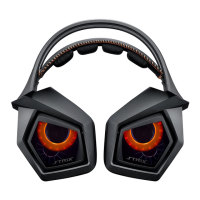
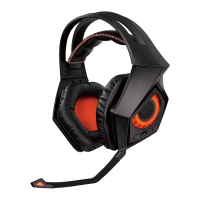
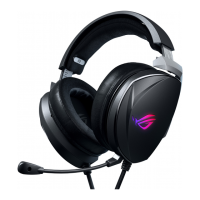
• ASUSStrix7.1GamingHeadset • USBY-cable
• Strix7.1controlbox • HDMIspeakercable
• QuickStartGuide • Detachablemicrophoneboom
Safety Guidelines
• Ifyourdevicedoesnotworkproperlyandtroubleshootingdoesnotwork,
unplugthedeviceandcontacttheASUSServiceCenterforassistance.DONOT
attempttoserviceorxthedeviceyourself.
• DONOTdisassemblethedeviceasdoingsowillvoiditswarranty.
• Protectthecablesfrombeingsteppedonorcompressed,particularlyatthe
pointwhereitexitsfromthedevice.
• Keepthedeviceawayfromliquid,humidityormoisture.Operatethedevice
onlywithinthespecictemperaturerangeof0
o
C(32
o
F) to 40
o
C(104
o
F).
Maintenance
ASUSStrix7.1GamingHeadsetrequiresminimummaintenancetokeepitin
optimumcondition.WerecommendthatyouunplugthedevicefromtheUSB
portandcleanitonceamonthusingaslightly-wetsoftclothorcottonswab.DO
NOTusesoaporharshcleaningagents.
Product Highlights
• True7.1surroundwithvepairsofneodymiummagnetspeakersforprecise
positioning and immersive game audio
• Adjustableindividualaudiochannels
• ENC(EnvironmentalNoiseCancellation)switchltersout90%environmental
noiseforclearin-gamecommunications
• Ultracomfortableergonomicdesignforallheadshapes/sizes
• Travel-friendlyfoldabledesignforon-the-gogames
• FourGamingSpectrummodes
Device Layout
1. Headset 9. 7.1-channel/stereoswitchingbutton
2. Detachable microphone boom 10. Headphone amplifier on/off
3. Fivepairsofneodymiummagnet
speakers
11. Mode selector*
4. HDMI headset port 12. Quick microphone mute/unmute
5. USBport 13. Headset/speakerswitchingbutton
6. HDMI speaker port 14. ENC(EnvironmentalNoise
Cancellation)on/oswitch
7. ENC(EnvironmentalNoise
Cancellation)microphone
15. HDMI speaker cable
8. Modeon/oswitchandMode
parameter control*
16. USBY-cable


 To Next Page