44
Notebook PC User Manual
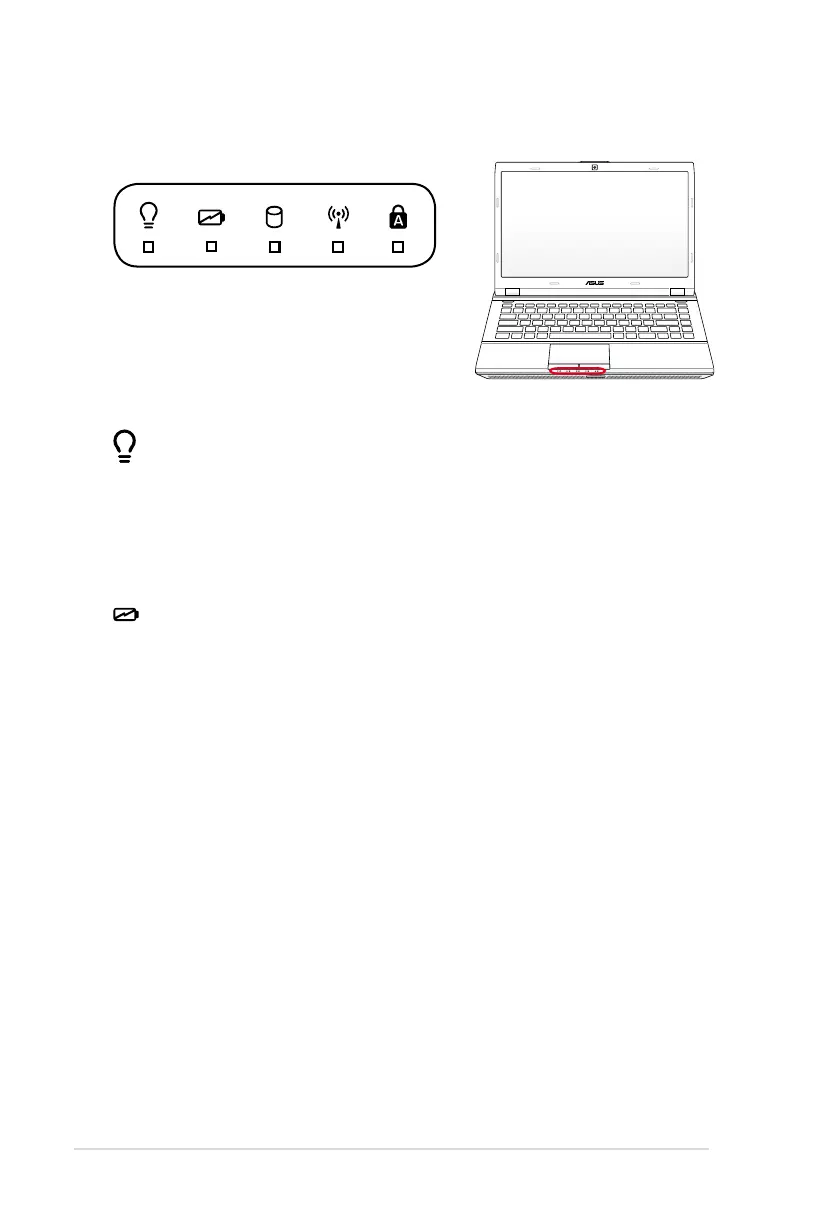
Power Indicator
The power indicator lights when the Notebook PC is turned ON
and blinks slowly when the Notebook PC is in the Suspend-to-
RAM (Sleep) mode. This indicator is OFF when the Notebook PC
is turned OFF or in the Suspend-to-Disk (Hibernation) mode.
Battery Charge Indicator (dual-color)
The dual-color battery charge indicator shows the status of the
battery’s power as follows:
Green ON: Battery power is between 95% and 100% (with AC
power).
Orange ON: Battery power is less than 95% (with AC power).
Orange Blinking: Battery power is less than 10% (without AC
power).
Status Indicators



 To Next Page