Notebook PC User Manual
7
A
B
C
Left button
Right button
Left button
Right button
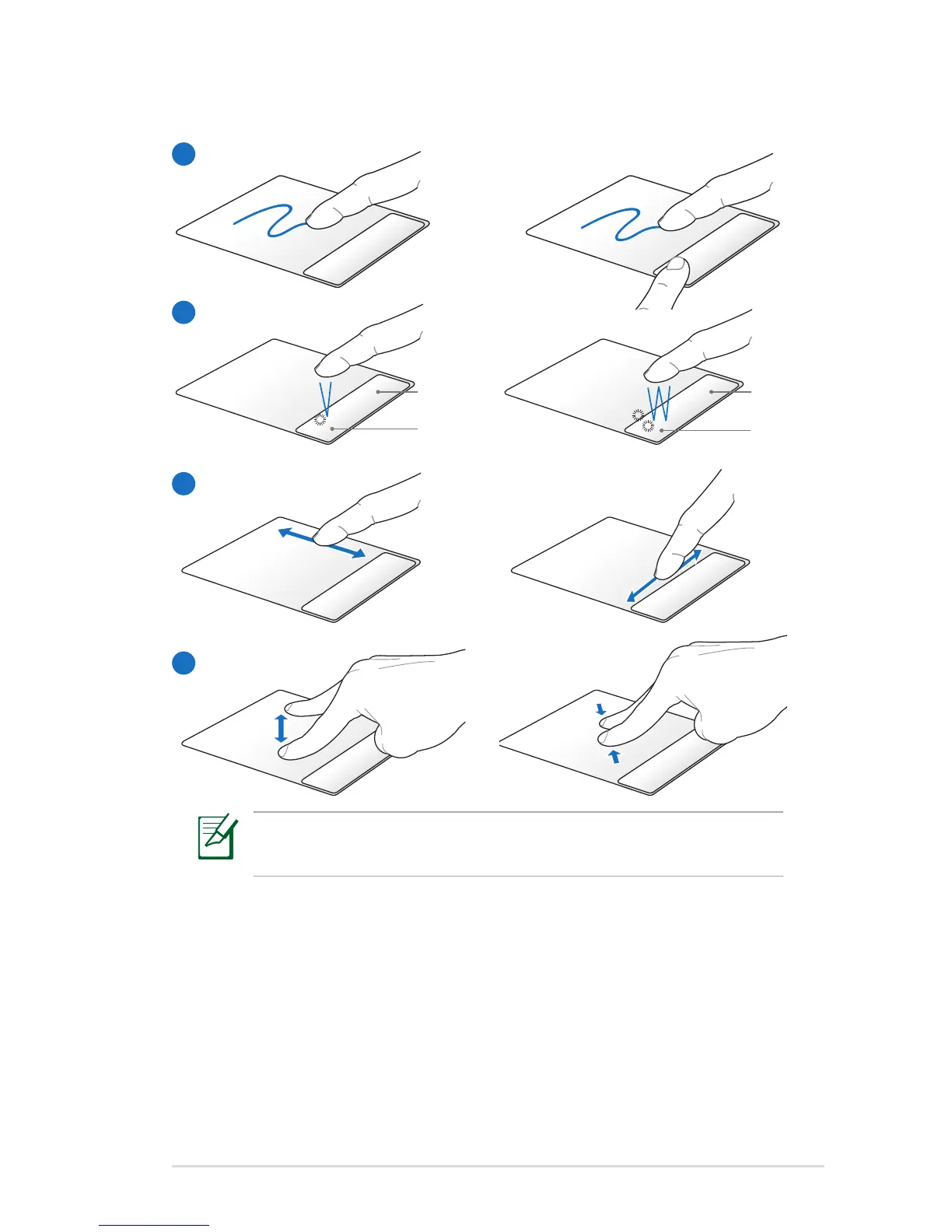
Using the Touchpad
Customize the touchpad’s behavior in Windows Control Panel
> Mouse Properties > Synaptics > Options....
A. Slide your finger across the touchpad to move the pointer. You
can also hold the left button and slide your finger to drag the
selected item.
B. Use the left and right buttons like a standard mouse.
C. Slide your finger up or down on the right side to scroll up or
down a window and left or right on the bottom side to scroll
left or right a window.
D. Moving two fingertips apart or together on the touchpad to
zoom in or zoom out.
D



 To Next Page