
 Need help?
Do you have a question about the Asus VivoBook 15 X512FA-EJ272T and is the answer not in the manual?
Details components and features visible from the top, bottom, and sides of the notebook.
Covers initial steps like charging the battery and powering on the device.
Explains how to use the touchpad for cursor control and various gestures.
Details usage of function keys, Windows keys, and numeric keypad.
Guides through the first-time setup of Windows 10 on the notebook.
Details on accessing and configuring BIOS settings.
Explains EZ Mode and Advanced Mode for BIOS settings.
Options for restoring or refreshing the notebook's system settings.
Answers common questions about hardware issues and their solutions.
 General
| Model | Asus VivoBook 15 X512FA-EJ272T |
|---|---|
| Processor | Intel Core i5-8265U |
| RAM | 8GB DDR4 |
| Storage | 512GB SSD |
| Graphics | Intel UHD Graphics 620 |
| Operating System | Windows 10 Home |
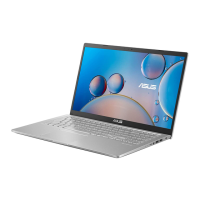
| Color | Transparent Silver |
| Wireless Connectivity | Wi-Fi 5 (802.11ac), Bluetooth 4.1 |
| Display | 15.6-inch FHD (1920 x 1080) |
| Ports | 1 x USB 3.1 Type-C, 1 x USB 3.1 Type-A, 2 x USB 2.0, HDMI, Micro SD card reader |
| Battery | 37Wh |



 To Next Page