
 Need help?
Do you have a question about the Asus VivoBook Flip TP412FA and is the answer not in the manual?
Offers advice for maximizing system performance and securing data.
Addresses common questions and issues related to the Notebook PC's hardware.
Provides answers to frequently asked questions about the Notebook PC's software.
Provides essential safety guidelines for using the Notebook PC.
Offers instructions on how to maintain and clean your Notebook PC.
Introduces the Notebook PC's physical layout and components.
Details the components and features visible on the top surface of the Notebook PC.
Describes the components and features located on the bottom of the Notebook PC.
Identifies ports and connectors on the right side of the Notebook PC.
Identifies ports and indicators on the left side of the Notebook PC.
Guides users through the initial setup and charging of the Notebook PC.
Details the procedure for charging the Notebook PC's battery.
Illustrates various touch gestures for interacting with the screen and touchpad.
Covers the operation and gestures associated with the Notebook PC's touchpad.
Covers keyboard functionality, including HotKeys and function keys.
Lists keyboard shortcuts (HotKeys) for various functions like volume and brightness.
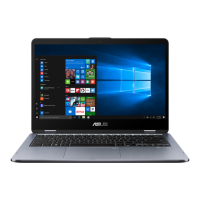
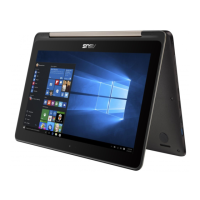
Details how to rotate the display panel for different modes like tablet or tent.
Guides new users through the initial Windows 10 setup process.
Explains the function and navigation of the Windows 10 Start menu.
Covers procedures for connecting to Wi-Fi networks.
Explains how to connect to and use Wi-Fi for internet access.
Explains the different methods to shut down the Notebook PC.
Details how to put the Notebook PC into sleep or hibernate mode.
Describes how to access BIOS settings and troubleshooting during POST.
Details the methods for entering the Notebook PC's BIOS setup.
Covers various settings available within the BIOS interface.
Explains system recovery options to restore or refresh the Notebook PC.
Describes the recovery option that preserves personal files.
Details the recovery option that resets the system to factory settings.
Provides step-by-step instructions for executing a chosen recovery option.
 General
| Graphics | Intel UHD Graphics 620 |
|---|---|
| Operating System | Windows 10 Home |
| Wireless | Wi-Fi 5 (802.11ac), Bluetooth 4.2 |
| Display | 14.0-inch, Full HD (1920 x 1080), Touchscreen |
| RAM | 8GB DDR4 |
| Storage | 256GB SSD |
| Battery | 42Wh 3-cell lithium-polymer battery |
| Weight | 1.5 kg |
| Ports | 1 x USB 3.1 Type-C, 1 x USB 3.1 Type-A, 1 x HDMI, 1 x audio combo jack |
| Color | Star Grey |
| Processor | Intel Core i5-8265U |


 To Next Page