Need help?
Do you have a question about the Asus WL-320gE and is the answer not in the manual?
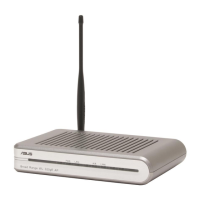
Describes the LEDs and layout of the front panel, including status indicators.
Details the ETHERNET, RESET, and DC ports on the rear panel.
Provides instructions for mounting the device to a wall or ceiling.
Instructions for connecting the device via Ethernet cable to a PC.
Information on establishing a wireless connection using an 802.11b/g card.
Guidance on setting client IP addresses within the same subnet as the AP.
Instructions to install and launch the ASUS WLAN Utilities software.
Steps to access the device's web interface by manually entering the IP address.
Guided setup process for configuring the device in Access Point mode.
Guided setup process for configuring the device in Gateway mode.
Explains how to connect to one or many Access Points using WDS.
How to use Site Survey to find and associate with available APs.
Configure the device to act as a wireless client for other devices.
Set up the device to extend wireless coverage as a repeater.
Configure MAC address filtering to control client access.
Set up multiple SSIDs and VLANs for network segmentation.
Change login password and select the system language.
Configure SNMP for network monitoring and management.
The ASUS WL-320gE Access Point is a versatile wireless networking device designed to provide flexible connectivity solutions for various environments. It functions primarily as a wireless access point, extending network coverage and allowing wireless clients to connect to a wired Ethernet network. Beyond its core access point functionality, the device supports multiple operation modes, including Bridge (WDS), Repeater (URE), and Client (Station) modes, making it adaptable to different networking needs.
At its most basic, the WL-320gE acts as an Access Point (AP), enabling wireless devices to join a local area network (LAN) and access the internet. This is its default mode, where it broadcasts a wireless signal (SSID) to which laptops, smartphones, and other Wi-Fi enabled devices can connect. The device is compatible with IEEE 802.11b/g wireless standards, ensuring broad compatibility with existing wireless equipment.
The WL-320gE can also operate in a Bridge Mode (WDS - Wireless Distribution System). In this mode, it allows you to connect two or more wired networks wirelessly, effectively extending the reach of your LAN without running additional Ethernet cables. WDS can be configured in several ways:
Another key operation mode is Repeater Mode (URE - Universal Repeater). In this mode, the WL-320gE extends the range of an existing wireless network. It receives a wireless signal from a root AP and re-transmits it, effectively boosting the wireless coverage in areas with weak signals. This is particularly useful for larger homes or offices where a single access point might not cover all areas adequately.
Finally, the device supports Client Mode (Station). In this configuration, the WL-320gE acts as a wireless client card for wired devices that lack wireless capabilities, such as game consoles, desktop PCs, or network printers. It connects wirelessly to an existing access point and provides an Ethernet port for the wired device to connect, allowing that device to access the wireless network.
The WL-320gE also supports Gateway Mode, which allows it to function as a router, connecting to the internet via ADSL or cable modem. In this mode, it can manage network traffic, assign IP addresses, and provide network address translation (NAT) for devices on the local network. It supports various ISP connection types, including PPPoE, PPTP, static IP, and dynamic IP (cable modem).
The device is designed for ease of use, with LED indicators on the front panel providing quick visual feedback on its status:
Configuration of the WL-320gE is primarily done through a web-based interface, accessible via a standard web browser. Initial setup can be performed via a wired Ethernet connection for reliability, though wireless configuration is also possible. The device comes with a default IP address (192.168.1.1) and default login credentials ("admin" for both username and password).
The Quick Setup Guide facilitates a streamlined configuration process for both Access Point and Gateway modes. For Access Point mode, users can quickly set the operation mode (AP, WDS, Client, Repeater), configure wireless interface settings such as SSID, and enable encryption methods like WEP or WPA pre-shared key with TKIP for enhanced security. The system can even generate WEP keys automatically from a passphrase.
In Gateway mode, the Quick Setup guides users through selecting their time zone and ISP connection type (cable, ADSL PPPoE, PPTP, static IP, Telstra BigPond). It prompts for necessary credentials like usernames, passwords, IP addresses, and MAC addresses, depending on the chosen connection type.
For more advanced users, the web interface offers detailed settings for various features:
The WL-320gE incorporates several features to aid in maintenance and troubleshooting:
The device's robust design and comprehensive feature set make it a reliable and flexible solution for various wireless networking needs, from simple home network extension to more complex multi-mode deployments in small offices.
 General
| Wireless Standard | 802.11b/g |
|---|---|
| Frequency Band | 2.4 GHz |
| Data Rate | Up to 54 Mbps |
| Security | WEP, WPA, WPA2 |
| Ports | 1 x 10/100 Mbps Ethernet |
| Operating System Compatibility | Windows, Mac OS, Linux |


 To Next Page