Need help?
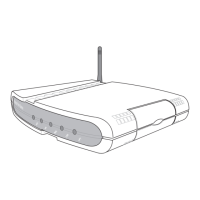
Do you have a question about the Asus WL-500g and is the answer not in the manual?
Compliance with FCC rules for digital devices and interference.
Compliance with Canadian radio noise emission regulations.
Guidelines for safe installation and operation to comply with RF exposure limits.
Antenna placement restrictions for co-location with other transmitters.
Overview of the SpaceLink product line including gateways and adapters.
Minimum hardware and software needed to use the Home Gateway.
List of items included with the SpaceLink Home Gateway.
Key features of the SpaceLink Home Gateway, including ports and wireless capabilities.
Technical details of the 802.11b wireless standard used by the gateway.
Explanation of the DSSS technology used for radio communication.
How the gateway functions as a MAC layer learning bridge for wireless clients.
Seamless client transition between multiple gateways/APs in a network.
Rules and recommendations for enabling smooth roaming between access points.
Diagrams illustrating network deployment scenarios for the gateway.
Gateway setup as an agent to connect to an Internet Service Provider.
Gateway setup as an agent between a LAN and another network.
Explanation of the status lights on the front of the Home Gateway.
Steps for physical setup: determining location, mounting, and WAN connection.
Connecting LAN, power adapter, and printer to the Home Gateway.
Instructions for mounting the Home Gateway to a wall using provided hooks.
How to orient the Home Gateway for vertical standing using its hinges.
Guidance on establishing wired, wireless, and printer connections to the gateway.
Steps to configure the gateway via web browser and advanced IP settings.
Guide for installing the management software from the support CD.
 General
| xDSL connection | No |
|---|---|
| Network address translation (NAT) | Yes |


 To Next Page