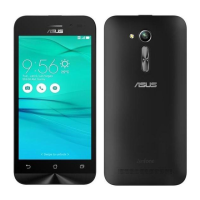
The charger
• UseonlythechargersuppliedwithyourASUS
Phone.
• Neverpullthechargercordtodisconnectit
from the power socket. Pull the charger itself.
Caution
Your ASUS Phone is a high quality piece of
equipment. Before operating, read all instructions
and cautionary markings on the (1) AC Adapter.
• DonotusetheASUSPhoneinanextreme
environment where high temperature or high
humidityexists.TheASUSPhoneperforms
optimally in an ambient temperature between 0
°C (32°F) and 35 °C (95 °F).
• DonotdisassembletheASUSPhoneorits
accessories. If service or repair is required,
return the unit to an authorized service center.
If the unit is disassembled, a risk of electric
shockorremayresult.
• Donotshort-circuitthebatteryterminalswith
metal items.
Operator access with a tool
IfaTOOLisnecessarytogainaccesstoan
OPERATORACCESSAREA,eitherallother
compartments within that area containing a hazard
shallbeinaccessibletotheOPERATORbytheuse
ofthesameTOOL,orsuchcompartmentsshallbe
markedtodiscourageOPERATORaccess.
General Usage (typical body-worn) (for
Japan)
Thisdevice(front&rearside)shouldbeoperated
under a seperation distance of 15 mm from the
human body.
*Theotherfoursidesarenotincloseproximityto
the human body at the general use as described
above.


 To Next Page