12
Operate
Operation Steps
Making a call
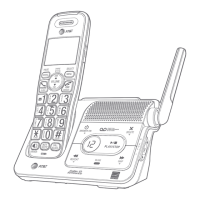
f Press PHONE/FLASH or /SPEAKER -> Enter the
telephone number.
On-hook dialing
(predialing)
f Enter the telephone number ->
Press PHONE/FLASH or /SPEAKER to call.
Answering a home
or cell call
f Press PHONE/FLASH or /SPEAKER.
Ending a call
f Press OFF/CANCEL or return the handset to the
telephone base or charger.
Handset
speakerphone
f During a call, press /SPEAKER to switch between
handsfree speakerphone and normal handset use.
Redial Using a cordless handset:
Press REDIAL repeatedly to select the desired entry ->
HOME/FLASH, CELL or /SPEAKER to call.
Using the telephone base:
Press REDIAL/PAUSE repeatedly to select the desired entry
-> /HOME or /CELL to call.
Volume control Using a cordless handset or the telephone base:
Press VOL q to decrease or press VOL p to increase the
listening volume during a call.
Call waiting
(Requires
subscription from
telephone)
Press HOME/FLASH on the handset or PTT/FLASH on
the telephone base to put current call on hold and to take
the new call.


 To Next Page
 Loading...