EasyManua.ls Logo

AT&T CL82115 - Page 16

AT&T CL82115
140 pages
Print Icon
To Next Page IconTo Next Page
To Previous Page IconTo Previous Page
Loading...
Getting started
9
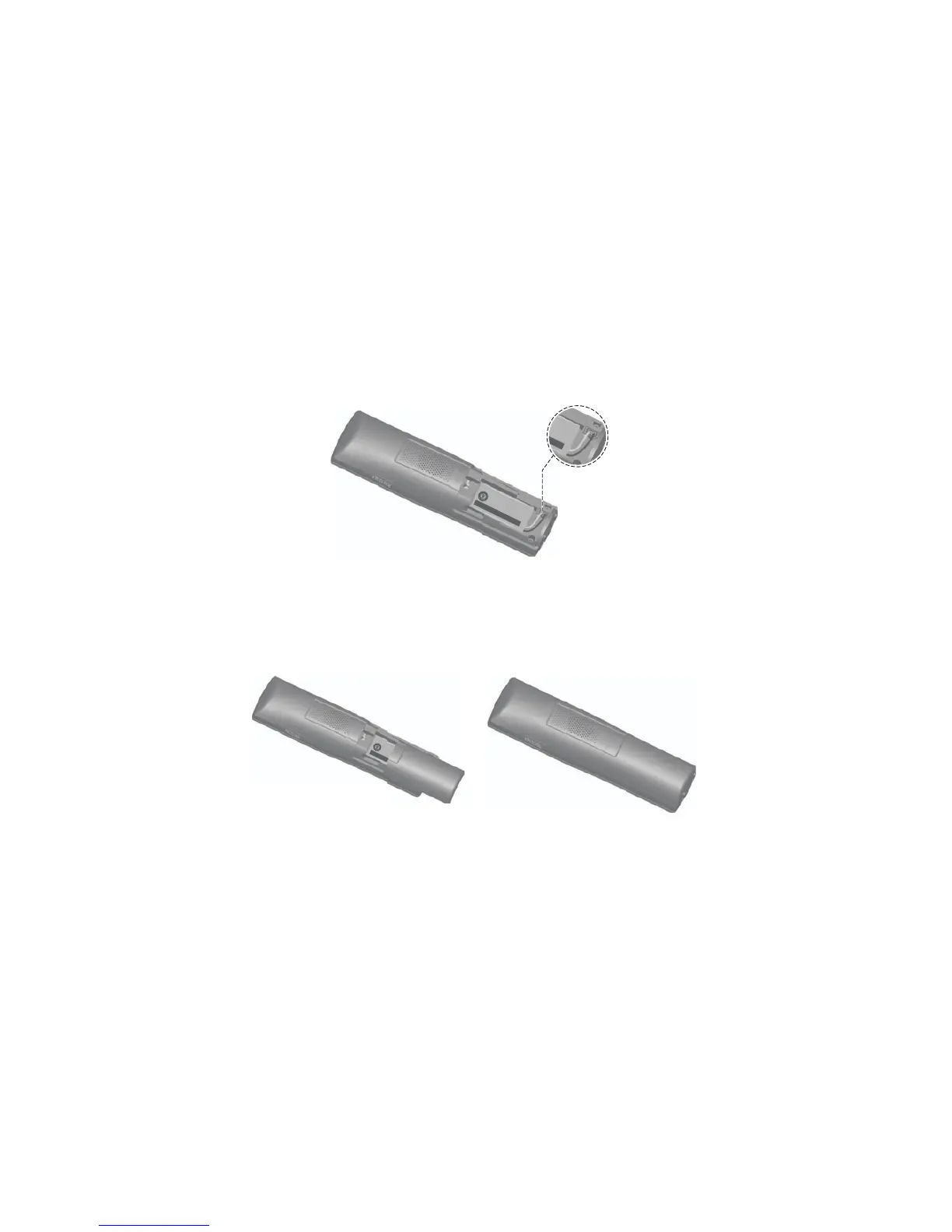
Step 1
Plug the battery connector securely into the socket inside the
handset battery compartment. Insert the supplied battery with the
label THIS SIDE UP facing up, as indicated.
Step 2
Align the cover flat against the battery compartment, then slide it
upwards until it clicks into place.

E
UP
/
C
E
C
Ô
T
É VE
R
S LE
HAUT
c-
p
i
l
es
:
(2.4
V
400mAh
Ni
-M
H)
SEMENT
:
NCTURE
BATTERIES.
PER
C
ER LES PILES.
en
ch
i
ne
Battery installation and charging
T
H
IS
S
ID
E
UP
/ CE C
ÔT
É VER
S
LE HA
UT
Batt
er
y Pack
/
B
lo
c-
p
il
es
:
BT
1833
4
2/
BT283342 (2.4V 400mAh
Ni-MH)
W
ARN
ING
/
A
V
ERTI
SSEMENT
:
DO NOT
B
URN OR P
UNCTURE
BA
TTERIES.
NE
PAS
INCINÉRER
OU PER
CER LES PILES
.
Made
i
n Chin
a
/ Fabriqu
é en
ch
i
ne
THI
S
SID
E
B
a
t
tery P
ac
k
/
B
lo
B
T1
8334
2
/BT2
8334
WAR
NING /
A
VER
T
IS
D
O N
OT
BUR
N
OR
PU
N
E
PA
S
I
N
CI
N
É
R
ER
O
U
Ma
de
i
n C
h
in
a
/
F
abriq

Table of Contents

Other manuals for AT&T CL82115

Related product manuals