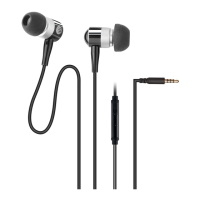
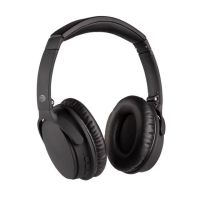
The AT&T H100 are Bluetooth® Wired Headphones designed for an enhanced audio experience with the convenience of both wireless and wired connectivity. These headphones feature Bluetooth 5.0 technology, ensuring a stable and high-quality wireless connection for music playback and calls.
Function Description:
The AT&T H100 headphones are primarily designed for listening to music and making/receiving phone calls. They offer a seamless transition between these functions, providing full controls directly on the headset. The built-in microphone with echo cancellation ensures clear communication during calls, minimizing background noise for both the user and the person on the other end. For situations where wireless connectivity is not preferred or available, the headphones also include a 3.5 mm auxiliary input jack, allowing for a wired connection to audio sources.
Important Technical Specifications:
- Bluetooth Version: 5.0
- Charging Time: Approximately 2 hours
- Battery: 3.7V 200mAh
- Playback Time: Up to 4 hours
Usage Features:
- Power ON/OFF: To power on the headset, press and hold the ON/OFF button for 2-3 seconds. The LED indicator will flash blue. To power off, press and hold the ON/OFF button for 3 seconds; the LED will flash blue and then turn off.
- Pairing: While the headset is off, press and hold the ON/OFF button for 2-3 seconds to enter pairing mode. The LED will flash red and blue, indicating it's ready to pair. Select 'H100' from the list of discovered Bluetooth devices on your phone. If the headset is not paired within 3 minutes, it will automatically turn off.
- Charging: The H100 headphones can be charged using any USB jack or wall charger via the Micro USB port. During charging, the LED indicator will glow red. For the first use, charge for at least 4 hours. Subsequent charges will take 2 to 3 hours, and the LED indicator will turn off once charging is complete. When the battery is fully charged, the LED indicator will turn blue.
- Making Phone Calls: Once paired with a mobile device, users can dial numbers as usual. Calls will be heard through the H100 headset.
- Answering Calls: When a call is received, press the Play/Pause button to answer.
- Ending Calls: During a phone call, press the Play/Pause button to end the call.
- Rejecting Calls (while listening to music): When receiving a call while listening to music, press and hold the Play/Pause button to reject the call. Music playback will resume after the call is rejected.
- Music Playback (Play/Pause): Press the Play/Pause button to launch the phone's music player and start listening to music. Press it again to pause or resume playback.
- Song Selection: While music is playing, press the Volume + button to skip to the next track or the Volume - button to go to the previous track.
- Volume Control: Press and hold the Volume + button to increase the volume or the Volume - button to decrease it.
- LED Indicator Chart:
- Powering ON: Blue and red lights flashing rapidly.
- Powering OFF: LED turns off.
- Low battery: Blinking red light & headset emits a beep.
- Charging: Solid red light.
- Pairing mode: Blue and red lights flashing rapidly.
- Connection complete: Blue light blinks every 3 seconds.
- Playing music: Blinking blue light.
Maintenance Features:
- Troubleshooting:
- Music not streaming over Bluetooth: Ensure both devices are paired and connected. Restart the H100 to auto-connect.
- No power: Verify the H100 is fully charged.
- H100 not answering phone calls: Check that both devices are paired and connected. Restart the H100 to auto-connect.
- Music not resuming after ending a call: Press play to resume music.
- Safety Information:
- Avoid using non-recommended attachments.
- Do not use near water or in wet environments.
- Prevent external objects or liquids from entering openings.
- Connect to a power supply of the type described in the operating instructions.
- Keep away from heat sources.
- Do not attempt to service the unit beyond methods described in the manual; refer to qualified service personnel for other issues.
- Disposal: Waste electrical products should not be disposed of with household waste. Recycle where facilities exist and check with local authorities or retailers for recycling advice.
- Warranty: The AT&T H100 comes with a limited warranty from Concept 101 LLC, covering defects in material, parts, and workmanship for one year from the purchase date. The warranty allows for replacement with a new or remanufactured headset. Exclusions include cosmetic damage, altered serial numbers, damage from power surges, user misuse, accidents, unauthorized repairs, and consumables like ear pads and batteries. For service, contact Concept 101 LLC at www.att.com/electronics or 1 (888) 920-8680.


 To Next Page
 General