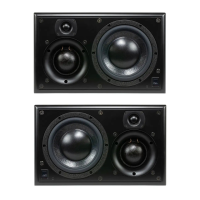
All remote amplifiers should be located to minimise the speaker cable lengths between the power amplifier and loudspeakers. Longer line level
interconnects are favourable over long high-level speaker connections. Use of loudspeaker cables over 10 m / 33 ’ should be avoided if possible, to
prevent a degradation in sound quality. Long cable runs require the use of a larger gauge cable. ATC recommend a minimum cable conductor area
of 2.5mm
2
/14 G for cable runs of up to 5m/16’ and 4.0mm
2
/12G for runs up to 10m/33’.
The R1-234 Pro, R2-234 Pro and R3-234 Pro are precision audio instruments and to ensure optimal performance, care should be taken when
installing them into your system. The amplifiers are class A/B designs and are optimised for sound quality over efficiency. As a result, they run
warm and extra care should be taken during installation to ensure they do not overheat. Good ventilation is vital. High operating
temperatures will result in increased maintenance or, at worst, premature failure.
R1-234 Pro The 1-channel variant of the remote amp is designed to be mounted in a suitable location in studio or control room wall, close to the
partnering loudspeakers. It can also be mounted in in a 19” rack. Front and rear views are show in diagram 13. Multiple R1-234 Pro amps can be
mounted one above the other without additional spacing (for ventilation). The front panel mounted heatsink must not be covered or partially
covered under any circumstances.
R2-234 Pro & R3-234 Pro The 2-channel and 3-channel variants of the remote amp are designed to be mounted in a 19” rack. Front and rear
views are shown in diagrams 9,10 and 14. When rack mounting, the following guidelines must be followed.
1 Rack mount amplifiers with a minimum of 1U free space above AND below each unit.
2 When blanking free spaces above/below amplifiers, vented rack panels must be used.
3 Only fit into racks with ventilated side and top panels and take care not to block top panel venting.
4 Take care to secure amplifiers using screws in all four rack mounting points – the amplifiers are heavy.
5 Take care that the ambient temperature in the space the amplifiers is mounted in does not exceed 30 deg C. If you as the user are uncomfortable
in a space, don’t site an amplifier there.
Above all, use common sense and, if in doubt, allow extra ventilation. This will result in a lower operating temperature and extend the life of
the product.
Failure to comply with the guidelines above could result in the amplifiers failing prematurely. Running the amplifiers for extended
time periods at high temperature will reduce the life of the product.
SECTION THREE
SCM25Ai Pro M k 2 Remote Amp Installation
3.4
Two cable connections are required for each monitor: one for mains power and one for the audio signal. The mains cable is specifically supplied to
comply with local statutory safety approvals and alternatives should not be substituted. If you intend to use your monitors in an alternative territory,
please contact ATC for advice. The mains connection must always be earthed.
The signal cable(s) and plug(s) should be of a good quality and XLR terminated. Poor cable and plug quality will compromise the performance of
your monitors. The signal input pin configuration is illustrated in diagram 4.
SECTION FOUR
SCM25A Pro Mk2 Connection
4.1
DIAGRAM 4


 To Next Page
 Loading...