Component Checklist
3mm Allen Key (x1)
M4x12mm (x4)
M4x16mm (x4)
VESA Plate (x1)
M4x10mm (x4)
(Optional) Security Screw (x1)
Installation Instructions
SD-DP-420
SD-DP-750
SD-DP-1150
Donut Pole l 420mm / 750mm / 1150mm
IMPORTANT INFORMATION:
Step 1. Check Components
Step 2. Mounting Options
! IMPORTANT - Install Spacedec Donut Pole as per Installation Instructions.
! Each Quickshift Donut supports a maximum weight of 12kg (26.5lbs)
Donut Pole 420mm supports a total of 12kg (26.5lbs).
Donut Pole 750mm supports a total of 24kg (53lbs).
Donut Pole 1150mm supports a total of 36kg (79.5lbs).
Display Mounting
Screws
Hardware
Check you have received all parts against the component checklist and Hardware above.
! This product supports VESA mounting hole configurations: 75x75mm and 100x100mm.
! The manufacturer accepts no responsibility for incorrect installation.
Base Casting (x1)
Bolt Through
Washer (x1)
M8x30mm
Screw (x1)
Cable Ball
Cable Clip
NOTE: Quantity for:
SD-DP-420 (x2 each)
SD-DP-750 (x4 each)
SD-DP-1150 (x6 each)
Donut Pole (x1)
Desk Clamp
Bracket (x1)
Pressure Plate (x1)
M8 Desk Clamp
Screw (x1)
5mm Allen Key (x1)
Desk Clamp
TOOLS REQUIRED:
Power Drill
10mm (0.38”) Drill Bit
Phillips-head Screwdriver
The Donut Pole comes in three lengths
SD-DP-420 is 420mm (16.5”)
SD-DP-750 is 750mm (29.5”)
SD-DP-1150 is 1150mm (45.25”)
Option A. Bolt Through (Suits desktop thicknesses of 12mm - 40mm [0.5” - 1.5”])
Note: It is recommended
t h a t th e p o l e a s s e m b l y b e
m o u n t e d t o w a r d s th e r e a r
e d g e o f th e w o r k s u r fa c e .
B o l t T h r o u g h
W a s he r
M 8 D e s k
C l am p S c r e w
5 m m A l l e n K e y
Tighte n Firm l y
Option B. De s k C l a m p (Suits desktop thicknesses of 12mm - 38mm [0.5” - 1.5”])
A t t a c h th e D e s k C l am p
B r a c k e t t o th e b o t t o m o f
th e P o l e A s s e m b l y u s i n g
th e M 8 x 3 0 m m S c r e w .
Tighte n Firm l y usi n g
th e 5 m m A l l e n K e y .
E n s u r e th e S p a c e d e c
L o g o o n th e B a s e
C a s t i n g i s fa ci n g th e
f r o n t a s s h o w n .
D e s k C l amp
B r a c k e t
M 8 x 3 0 m m
S c r e w
B a s e C a s t i n g
5 m m A l le n
Ke y
Work Surface
P r e s su r e
P l at e
M8 Desk
Clamp Screw
5mm
A l l e n K e y
Tighten
Fi r m l y
A t t a c h th e D o n u t P o l e
A s s e m b l y u s i n g th e
D e s k C l am p a s sh o w n .
N ot e: D e s k C l amp
suits 12mm (0.5”)
- 38mm (1.5”) thick
w o r k su r fa c e s .
A d j u s t th e h ei g h t o f
th e P r e s s u r e P l a t e
t o s u i t y o u r w o r k
su r f ac e .
Ensure cable slot
is facing back
Drill a 10mm (0.38”) hole
in the work surface at the
desired position and
assemble as shown.
P o l e A s s e m b l y
B a s e
Ca s t i n g
10mm (0.38”)
h o l e
W o r k s u r fa c e
E n s u r e c a b l e s l o t i s
fa ci n g th e b a ck
Quickshift Donut (x1)

 Need help?
 General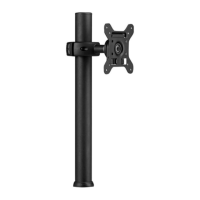

 To Next Page