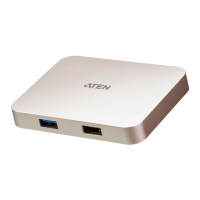
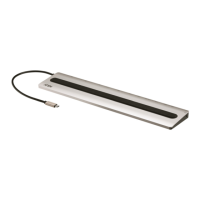
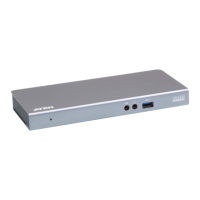
The UH3238 USB-C Travel Dock is a portable 5-in-1 device designed to expand your USB-C workstation, allowing connection of various peripherals without needing to connect them individually to your host device. This travel dock integrates 1 x HDMI port, 1 x Audio Jack, 1 x USB-C port, and 2 x USB Type-A ports, providing a comprehensive solution for mobile workstations.
Function Description:
The primary function of the UH3238 is to act as a central hub for USB-C enabled host devices, such as Windows-based computers, Mac-based computers, iPadOS tablets, and Android smartphones. It facilitates the connection of essential peripherals like a USB mouse, USB keyboard, external hard drive, and a headphone set, all while providing power delivery to the connected USB devices. This streamlines your setup, making it ideal for users who need to connect multiple devices on the go.
Usage Features:
- 5-in-1 Travel Dock: The UH3238 offers a versatile set of ports, including HDMI for video output, an audio jack for headphones or microphones, a USB-C port for data transfer and power, and two USB Type-A ports for various USB peripheral devices.
- USB Power Delivery 3.0: It supports USB Power Delivery 3.0, enabling charging of your host device up to 92W when connected to a compatible USB-C PD power adapter. The supported power profiles include 5V, 9V, 15V, and 20V, ensuring broad compatibility with different devices. For optimal laptop charging, a pure USB-C PD (LPS-certified) power adapter of at least 65W is recommended.
- DP 1.4 Alt Mode Support: The dock supports DisplayPort (DP) 1.4 Alt mode, allowing for superior video output with resolutions up to 4K (3840 x 2160) at 60Hz. The maximum HDMI resolution depends on the DP Alt mode specification supported by the connected USB-C host device. For DP 1.2 Alt mode, it supports up to 4K at 30Hz, while DP 1.4 Alt mode supports up to 4K at 60Hz. To achieve maximum bandwidth, the upstream device should support standard DP 1.4 Alt mode with DSC3:1 and HBR3.
- Plug and Play: The UH3238 is designed for ease of use, requiring no drivers for installation. This feature ensures quick setup and immediate functionality upon connection.
- Broad Operating System Compatibility: It works seamlessly with major operating systems, including Windows (Windows® 10 32-bit / 64-bit or above), macOS X (MacBook 2015 or above, MacBook Pro 2016 or above, Mac OS X 10.12 or later), iPad Pro (iPadOS 13.1 or later, iPad Pro 3rd Generation or above), and Android (Android 8.0 or later).
- Thunderbolt™ 3 Compatibility: The device is also compatible with Thunderbolt™ 3 (USB-C) enabled host devices, further extending its versatility.
- Compact and Lightweight Design: Its compact and lightweight form factor makes it an ideal solution for mobile workstations, allowing users to easily carry it along with their laptops or tablets.
- USB Type-A Ports Power Pass-Through: The USB 3.2 Gen 1 Type-A ports support power pass-through to connected USB peripheral devices. When a single USB Type-A port with 1.5A is used alone, it provides Max. 5V, 7.5W. When a standard USB 3.2 Gen 1 Type-A port is used alone, it provides Max. 5V, 4.5W. When both USB Type-A ports are used together, the total output is Max 5V, 9W. It is recommended to connect a USB-C PD power adapter to the unit for additional power supply if these ports are used for phone charging or heavy loading on USB peripheral devices (total over 1A).
- USB-C DC-in Port: This port allows connection of a USB-C PD power adapter or a USB-C peripheral device for power redundancy or peripheral device operation. It also supports USB 3.2 Gen 1 Type-C data transfer. For data transferring, the total output of 2 USB Type-A ports and 1 USB-C port is at 5V, 7.5W max.
- iPadOS Limitation: For iPad USB-C enabled tablets, ensure the iPadOS version is upgraded to iPadOS 13.2 or later to meet power delivery standards for iPads.
Maintenance Features:
- Self-Protection Mechanism: The UH3238 includes a self-protection mechanism. If the total power consumption of the dock exceeds 8W, this mechanism activates, and some connected devices (excluding the USB-C host device) may not be detected. This helps prevent damage to the unit and connected devices.
- Documentation and Support: ATEN provides comprehensive product documentation and technical support. Users are encouraged to register their product online for support and to visit the ATEN website for up-to-date documentation, including new features and fixes. Telephone support is also available for various regions.
- Safety Instructions: The manual emphasizes adherence to safety instructions, including proper placement, avoiding water or heat sources, ensuring adequate ventilation, and using the correct power source. It also advises against attempting to service the device yourself and to refer all servicing to qualified personnel.
- Cable Management: Guidelines for cable usage are provided to prevent damage and ensure reliable operation. This includes avoiding excessive force on cables and connectors, ensuring enough room for bending, and not installing cables in corrosive or extreme environments.
The UH3238 is designed to be a reliable and convenient tool for users who require expanded connectivity and power delivery for their USB-C enabled devices in a portable format.

 Need help?
 General

 To Next Page