EasyManua.ls Logo

ATEN US221A - User Manual

ATEN US221A
32 pages
Print Icon
To Next Page IconTo Next Page
Loading...
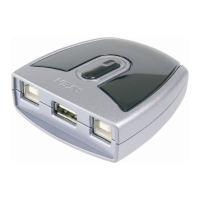
US221A / US421A
USB 2.0 Peripheral Switch
User Manual

Other manuals for ATEN US221A

Questions and Answers

Summary

Compliance Statements

FCC Interference Statement

Details FCC compliance and interference guidelines for Class B digital devices.

Support and Contact

Online Registration and Support

Information on registering the product and accessing online email and technical support.

Telephone Support

Lists international and regional phone numbers for customer support.

Product Information

Package Contents

Lists the items included in the US221A / US421A USB Peripheral Switch package.

Product Overview

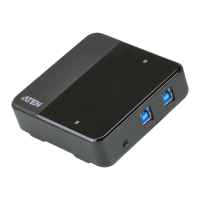
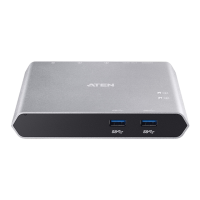
Describes the US221A / US421A as a 2/4-port USB 2.0 Peripheral Switch.

Key Features

Highlights the key capabilities and benefits of the USB Peripheral Switch.

System Requirements

Supported Operating Systems

Details the supported operating systems for the US221A / US421A.

Installation Guide

Installation Procedure

Step-by-step guide for connecting computers and peripherals to the switch.

Manual Operation

Pushbutton Operation

Explains how to use the physical pushbuttons for peripheral focus control.

Lock and Unlock Peripheral Focus

Details the procedure to lock or unlock peripheral control on a specific computer.

Software Configuration

Install Configuration Utility (Windows)

Guide for installing the software utility on Windows operating systems.

Install Configuration Utility (Mac)

Guide for installing the software utility on Mac operating systems.

Software Utility Usage

Basic Operation

Describes basic functions like locking/unlocking connections via system tray icon.

Advanced Operation and Settings

Covers advanced settings like Auto Switch and Release for printers and other devices.

Troubleshooting

Common Issues and Solutions

Provides solutions for common problems encountered with the device.

Specifications and Warranty

Product Specifications

Technical details and physical properties of the US221A and US421A models.

ATEN Standard Warranty Policy

Outlines the limited hardware warranty terms and coverage for the product.

Summary

Compliance Statements

FCC Interference Statement

Details FCC compliance and interference guidelines for Class B digital devices.

Support and Contact

Online Registration and Support

Information on registering the product and accessing online email and technical support.

Telephone Support

Lists international and regional phone numbers for customer support.

Product Information

Package Contents

Lists the items included in the US221A / US421A USB Peripheral Switch package.

Product Overview

Describes the US221A / US421A as a 2/4-port USB 2.0 Peripheral Switch.

Key Features

Highlights the key capabilities and benefits of the USB Peripheral Switch.

System Requirements

Supported Operating Systems

Details the supported operating systems for the US221A / US421A.

Installation Guide

Installation Procedure

Step-by-step guide for connecting computers and peripherals to the switch.

Manual Operation

Pushbutton Operation

Explains how to use the physical pushbuttons for peripheral focus control.

Lock and Unlock Peripheral Focus

Details the procedure to lock or unlock peripheral control on a specific computer.

Software Configuration

Install Configuration Utility (Windows)

Guide for installing the software utility on Windows operating systems.

Install Configuration Utility (Mac)

Guide for installing the software utility on Mac operating systems.

Software Utility Usage

Basic Operation

Describes basic functions like locking/unlocking connections via system tray icon.

Advanced Operation and Settings

Covers advanced settings like Auto Switch and Release for printers and other devices.

Troubleshooting

Common Issues and Solutions

Provides solutions for common problems encountered with the device.

Specifications and Warranty

Product Specifications

Technical details and physical properties of the US221A and US421A models.

ATEN Standard Warranty Policy

Outlines the limited hardware warranty terms and coverage for the product.

ATEN US221A Specifications

General IconGeneral
Cables includedUSB
Quantity per pack1 pc(s)
Quick start guideYes
USB 2.0 ports quantity3
Product colorBlack, Silver
Housing materialPlastic
Maximum data transfer rate0.48 Gbit/s
Storage temperature (T-T)-20 - 60 °C
Operating temperature (T-T)5 - 40 °C
Operating relative humidity (H-H)0 - 80 %
Weight and Dimensions IconWeight and Dimensions
Depth71.8 mm
Width65.8 mm
Height24.4 mm
Weight54 g

Related product manuals