Ather ChitChat ™
Before starting, ensure both
helmets have been paired to
each other (see here)
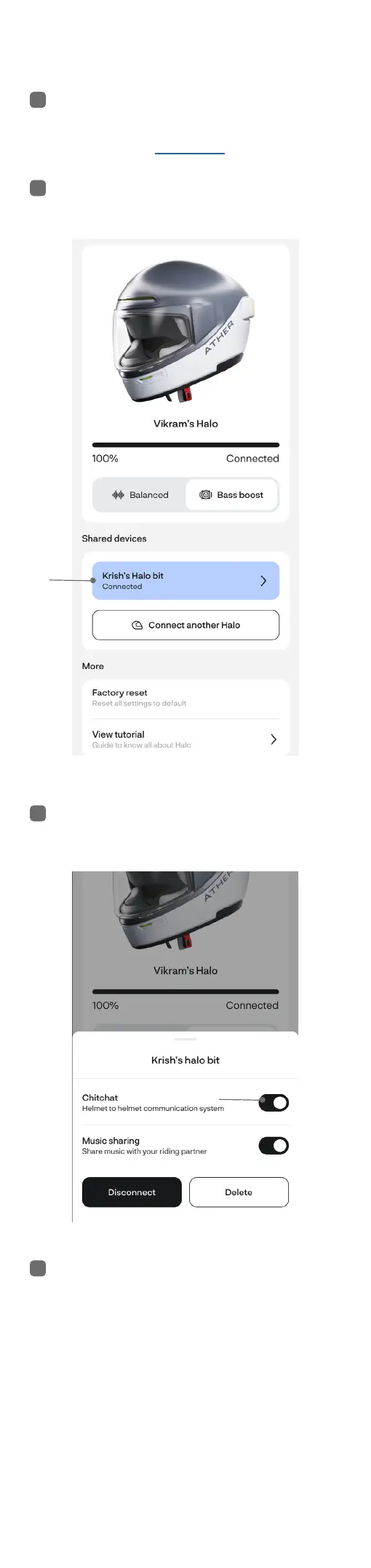
Open the Ather App. Tap on the
2nd helmet
Ensure Ather Chitchat ™ is
enabled
Simply talk into one helmet and
make sure the other can hear.
You are now ready to use Ather
ChitChat ™. To stop, simply mute
the helmet by double tapping the
button on Halo and the center
button on Halo bit.
Note: If a phone call is detected
on any of the helmets, it
automatically leaves Ather
ChitChat ™ and re-joins aer the
call ends
1
2
3
4


 To Next Page