Music Sharing
Before starting, ensure both
helmets have been paired to
each other (see here)
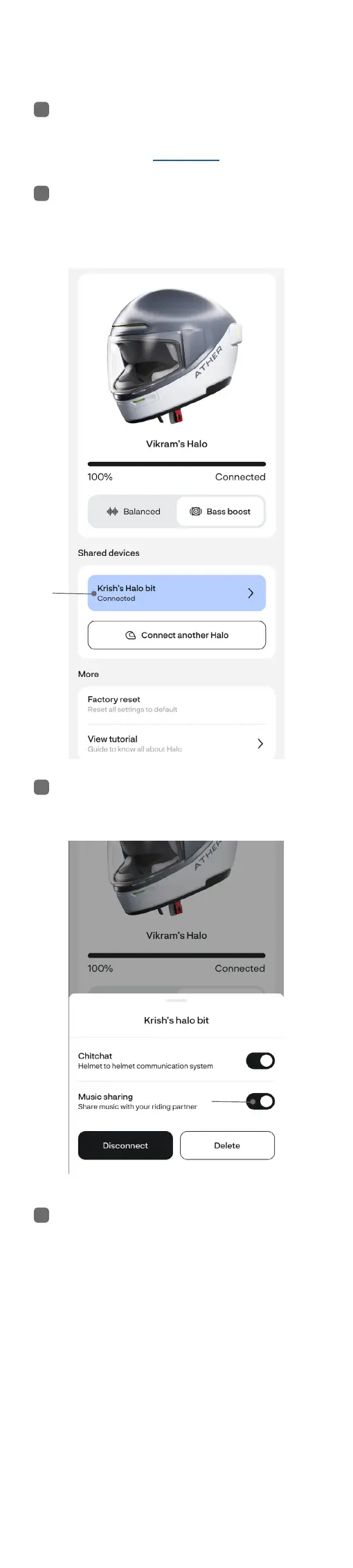
Open the Ather App. Tap on the
2nd helmet
Ensure Music Sharing is enabled
Simply play music on any phone
and it will automatically stream
to both helmets. If the 2nd user
decides to play music from their
phone, it will dynamically switch
to the 2nd phone instead.
Note: If a phone call is detected
on any of the helmets, it
automatically leaves Music
Sharing mode and re-joins aer
the call ends
Note: Ather ChitChat™ and
Music Sharing can work
simultaneously with each other
1
2
3
4



 To Next Page