
 Need help?
Do you have a question about the Atid AT380 and is the answer not in the manual?
Proper battery usage guidelines, charging, and care.
General warnings and precautions for using the PDA.
Lists the items included in the product packaging.
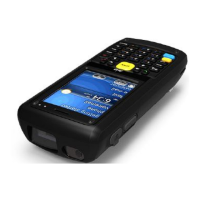
Identifies and explains the functions of device components.
Details about the main and backup batteries, and charging.
Instructions for turning the device on and off.
How to check the current battery status.
Information about the backup battery's function.
Guidance on proper battery disposal.
Procedures for soft and hard system resets.
Steps and results for performing a soft reset.
Steps and results for performing a hard reset.
How to initialize the system or perform a hard reset.
How to use the Micro SD card slot and access the card.
Configuration options for device settings.
Adjusting screen brightness for optimal use and power saving.
Recalibrating the touch screen for accurate input.
Adjusting volume levels and sound settings on the device.
How to set the device's date, time, and time zone.
Navigating and using the device's keypad.
Navigating and using the device's keypad.
Methods for entering data using the keypad.
Special functions activated by the blue button.
Proper use of the stylus for touch screen interaction and navigation.
Synchronizing the device with a PC using ActiveSync.
Steps to download and install the ActiveSync software.
How to establish a connection between the PC and PDA.
Procedures for transferring data between PC and PDA.
Instructions for upgrading the device's firmware.
Details on using the 1D/2D barcode scanner.
Information on connecting and using the wireless LAN.
Guide to using the device's Bluetooth functionality.
How to scan barcodes using the device.
Configuring the barcode scanner emulator.
Configuring barcode types supported by the scanner.
Optimal positioning for scanning barcodes.
Steps to connect the device to a wireless LAN.
Manual configuration of wireless LAN settings.
How to view current wireless LAN connection details.
How to turn Bluetooth ON and OFF on the device.
Steps to pair Bluetooth devices with the AT380.
Demo procedure for connecting a Bixolon printer via Bluetooth.
Detailed technical specifications of the AT380 device.
 General
| WWAN | 4G LTE |
|---|---|
| NFC | Yes |
| Storage Temperature | -30°C to 70°C |
| Weight | 260 g |
| Expandable Storage | MicroSD |
| Resolution | 720 x 1440 pixels |
| Touch Panel | Capacitive multi-touch |
| Camera | 13 MP rear |
| Wireless LAN | 802.11 a/b/g/n/ac |
| Bluetooth | Bluetooth 5.0 |
| GPS | GPS, A-GPS, GLONASS |
| Handhelds Category | Industrial |

 To Next Page