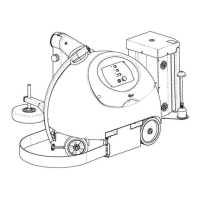
Atlanta Stretch S.p.A.
9
programmed cycle (press and hold for more than 3
seconds).
B
Press and hold to lift the carriage manually.
C
Program decrease icon.
D
Program increase icon.
E
RESET
the machine cycle.
F
2-digit display showing the functions (parameters) of the
selected programme;
During the cycle it shows the current operating status;
CF
on the display
(V)
at the end of the cycle means the film is
depleted;
AA
on the display
(V)
means there is an alarm on the machine;
The left point indicates the descent of the film carriage. The
right point is equivalent to the LED on the
RESET
key panels.
G
Press and hold to lower the carriage manually.
H
Rotate the table manually, press and hold and the table stops at
the end of the cycle.
I
Lower carriage, the carriage lowers automatically down to its
position at start of cycle.
J
Cursor for increasing and decreasing values.
K
Resets the alarms and stops the buzzer.
L
Press and hold to lift the pressure roller manually.
M
Save parameters.
N
Rotate table, the table rotates automatically to its phase position.
O
STOP
cycle icon, the table slows down and stops instantly; the
cycle can continue from the same point.
P
2-digit display showing the selected programme;
During the cycle it shows an animation of the rotation of the
platform;
NOTE
: the flashing display indicates that a parameter has been
changed;
The right point indicates the ascent of the film carriage, the left
point indicates the rotation of the platform or the robot path;
In the robots, the left point flashing indicates that the battery is
in reserve.


 To Next Page