7
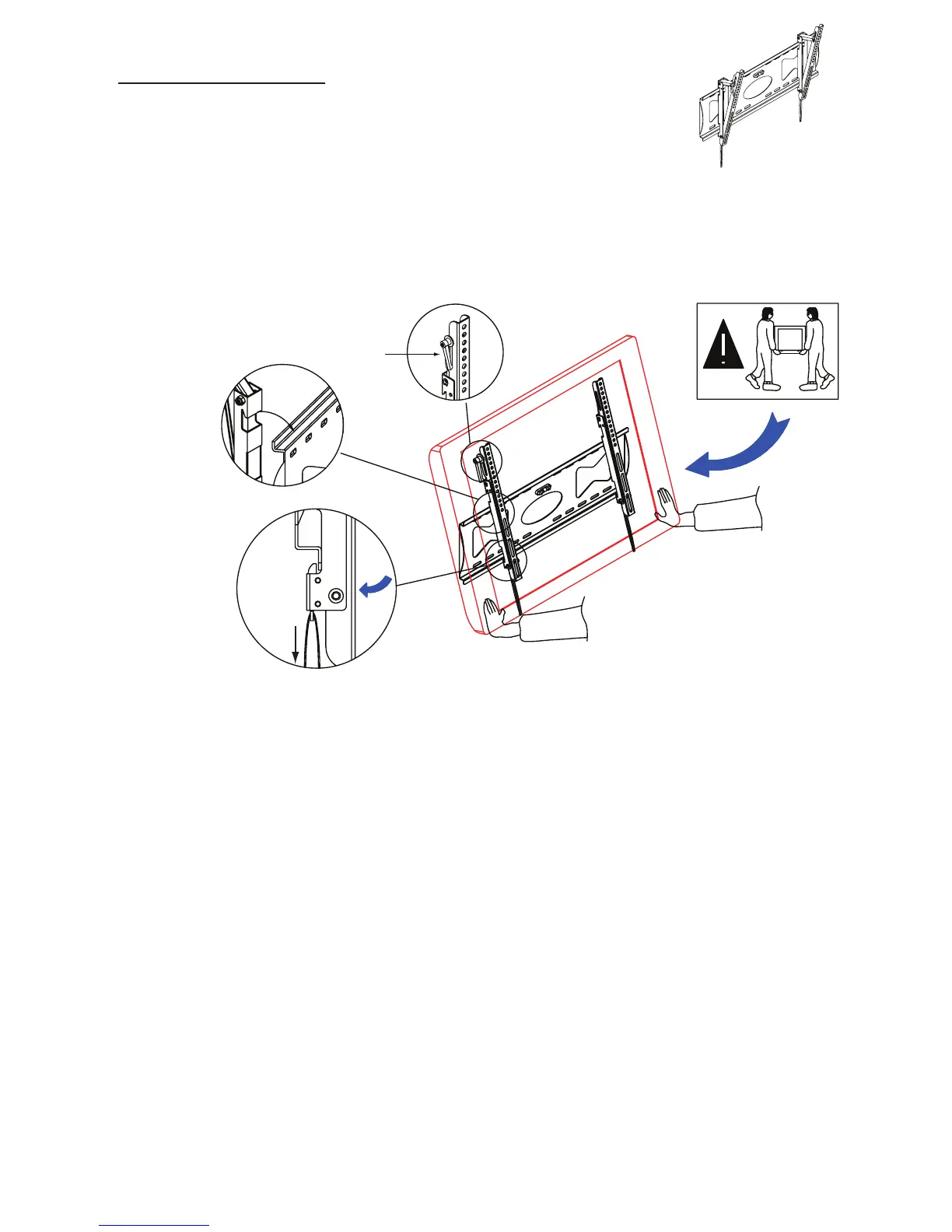
Figure 3
Figure 5
Figure 4
Figure 6
Attention
Down
Handle
.
Hang TV to wall plate as shown in Figure 3. 1.
Pull Down to Remove Bracket
Push TV unit lightly to lock it with wall plate, see Figure 4.
2.
To adjust angle of your TV first loosen both adjustment handles, then angle your TV to
your desired poisition. When TV is at desired angle then you can retighten both adjustment
handles. See Figure 5.
3.
If you want to remove TV from bracket at a later time, pull down on both straps to release the
locking mechanism, see Figure 6.
4.
TV Wall Mount
Step 3 Installation of TV to Wall Bracket


 To Next Page