6
Mounting Hardware List Q’ty
Mounting Hardware List Q’ty
M8 X 16
M6 X 12
M5 X 12
M4 X 12
M8 X 40
M6 X 35
M5 X 30
M4 X 30
4
4
4
4
4
4
4
4
M4 / M 5 washer
M6 / M 8 washer
M8 / M6 spacer
M4 / M5 spacer
4
4
4
4
I
J
K
L
M
N
O
P
Q
R
S
T
(7.87 to 23.6) in x 15.7 in
(200 to 600) mm x 400 mm
2.95 in x 2.95 in / 75 mm x 75 mm
3.94 in x 3.94 in / 100 mm x 100 mm
OPTION 1 OPTION 2
TAKE EXTRA CARE AND PAY ATTENTION WHEN YOU FASTEN THE TV MOUNT(S) TO THE
BACK TV PANEL IN STEP 3. MAKE SURE TO USE THE APPROPRIATE MOUNTING HARDWARE
FOR YOUR TV.
1. Select the correct Mounting Hardware according to the screw hole size on your TV. Discard any
remaining screws and spacers.
2. Carefully lay your TV face down on a non-abrasive surface, laying padding underneath it to protect
the screen.
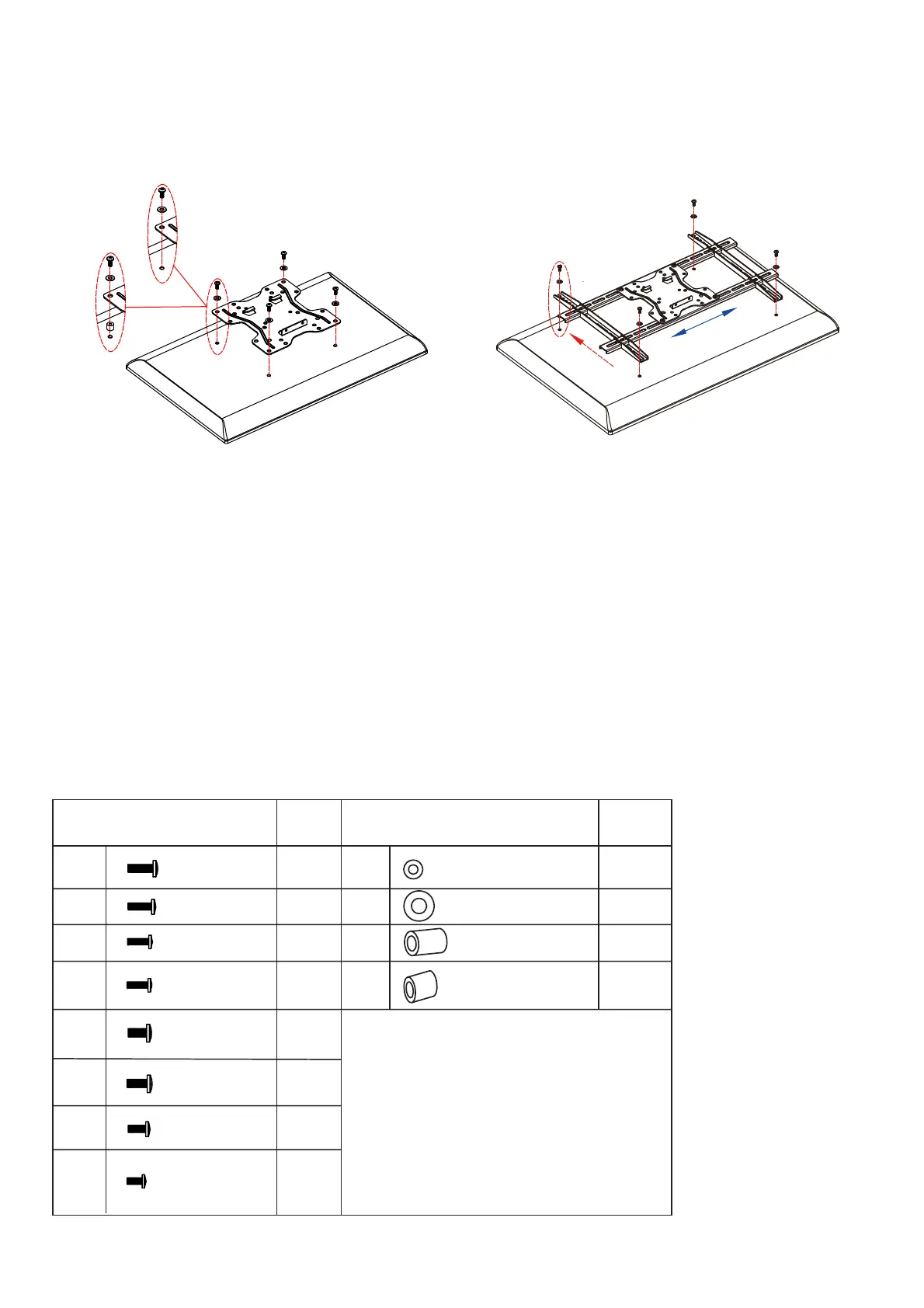
3. OPTION 1: Place the TV plate (B) in the appropriate position, making sure it is CENTERED on the
back of TV and LEVEL.
OPTION 2: Place the right and left TV mounts in their appropriate positions, making sure they are
CENTERED on the back of the TV and LEVEL with one another.
UP


 To Next Page