EasyManua.ls Logo

Atlantic TRION3 - User Manual

Atlantic TRION3
20 pages
Print Icon
To Next Page IconTo Next Page
Loading...
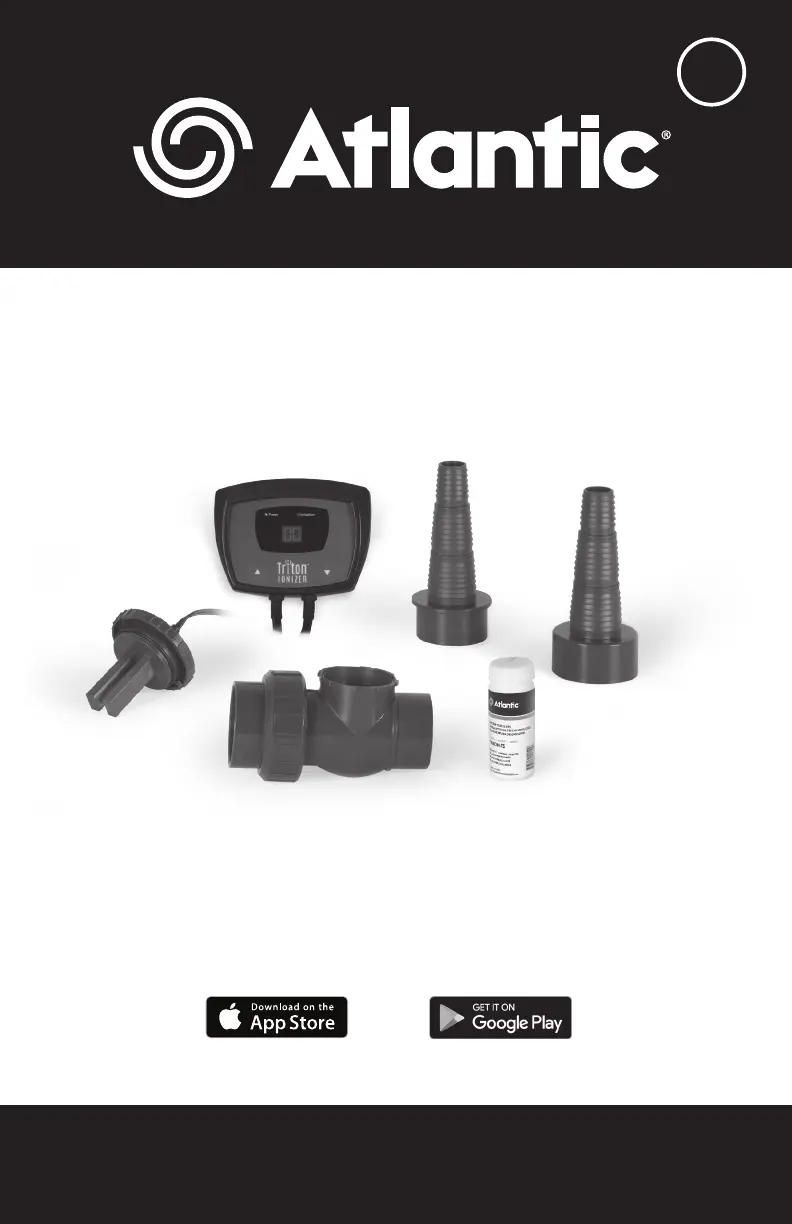
TRION3 - 74005
Product Manual | Manuel du Produit | Manual del Producto
1.330.274.8317
www.ATLANTICWATERGARDENS.com
M
Telecharger dans l'App Store
Consiguelo en el App Store
Disponible sur Google Play
Disponible en Google Play

Questions and Answers

  • C
    cheryl50Jul 28, 2025
    Why is the ionization indicator flashing blue and the display reads '00' on my Atlantic TRION3 Air Ionizer?
    • M
      Michael CalhounJul 28, 2025
      The ionization indicator might be flashing blue with a '00' display on your Atlantic Air Ionizer because the ionization level is set to '00'. Try raising the ionization level on the control panel. Alternatively, the control panel may not be detecting a connection to the electrode; inspect the quick-connect plug on the electrode and check for damage to the line to the control panel. It could also be that the electrodes are not fully immersed in water; check the water flow through the electrode housing to ensure it's full. Finally, the electrodes may be depleted and need replacement with TRION2-RA replacements.
  • H
    Holly McdonaldAug 2, 2025
    What to do if the power indicator is flashing green on my Atlantic Air Ionizer?
    • G
      georgeamyAug 2, 2025
      If the power indicator on your Atlantic Air Ionizer is flashing green, it could be due to excessive corrosion or debris lodged between the electrodes. Remove the electrodes by rotating them a quarter turn counter-clockwise and inspect them, removing any debris. Another cause could be insufficient water flow through the electrodes, in which case you should increase water flow and/or tubing diameter.
  • M
    millerelizabethAug 7, 2025
    Why is there a high copper level in my Atlantic TRION3?
    • C
      Carl OrtizAug 7, 2025
      A high copper level in your Atlantic Air Ionizer is likely because the ionization level is set too high. Reduce the ionization level to '00' on the display until test results are below 0.03 ppm. A partial water change will also help reduce copper levels.
  • C
    chelsea63Aug 12, 2025
    Why is the number displayed on the control panel lower than the selected level on my Atlantic TRION3 Air Ionizer?
    • T
      Tiffany ChristianAug 12, 2025
      The displayed number on your Atlantic Air Ionizer's control panel might be lower than the selected level because the water isn't conductive enough to support the chosen ionization level. Alternatively, the electrodes might be almost depleted, requiring replacement with TRION2-RA replacements.
  • C
    Carl CannonAug 17, 2025
    How to fix low copper level after 7-10 days of Atlantic Air Ionizer operation?
    • C
      Christian BarrettAug 17, 2025
      If you're experiencing a low copper level after 7-10 days of operating your Atlantic Air Ionizer, it could be that the level of ionization is set too low. Increase the level of ionization and monitor copper levels. Another possibility is that copper ions are being consumed within the water feature as they break down excessive organics. Remove decomposing leaves, debris, and string algae from the water feature to reduce organic loads, and then monitor copper levels.
  • D
    dfieldsAug 22, 2025
    What to do if the control panel of my Atlantic TRION3 Air Ionizer will not illuminate?
    • M
      Michael LynchAug 22, 2025
      If the control panel on your Atlantic Air Ionizer will not illuminate, inspect the GFCI outlet and the 12 volt AC transformer output to ensure there is power to the control panel. If power is present, the controller may have failed; contact your dealer for repair or replacement.

Summary

Introduction

Safety Precautions

Essential safety warnings, including electrical shock risks and proper operation conditions.

Pre-Installation Checks

Guidance on preparing the pond, cleaning, and testing parameters before installing the lonizer.

Optimal Water Parameters

Details on ideal water parameters like alkalinity and pH for effective lonizer function.

Installation

TRION3 with TR215 CV Check Valve

Detailed steps for installing the TRION3 with the TR215CV Check Valve, including electrode and control panel setup.

Operation

Inline Installation Methods

How to retrofit the lonizer into existing water features using rigid or flexible PVC lines.

Programming and Monitoring

Instructions on setting ionization levels, turning on the unit, and monitoring copper levels with test strips.

Water Conductivity

Maintenance and Inspection

Guidance on normal operation indicators, periodic electrode inspection, and cleaning.

Winterization Procedures

Recommendations for shutting down or managing the lonizer during winter months for optimal electrode life.

Warranty

Warranty Claims Process

Explains warranty terms, exclusions, and the procedure for submitting claims with proof of purchase.

Troubleshooting Guide

Control Panel and Indicator Issues

Addresses problems related to the control panel not illuminating or indicators flashing incorrectly.

Electrode and Water Flow Problems

Covers issues like electrodes not immersed, depleted electrodes, or insufficient water flow.

Copper Level and Conductivity Issues

Solutions for low/high copper levels, conductivity, and organic load management.

Atlantic TRION3 Specifications

General IconGeneral
Product NameAtlantic TRION3
CategoryAir Ionizer
Power Consumption5W
ColorWhite
CertificationCE, RoHS
TechnologyNegative Ion Generation
MaterialPlastic