4
Setting the Clock
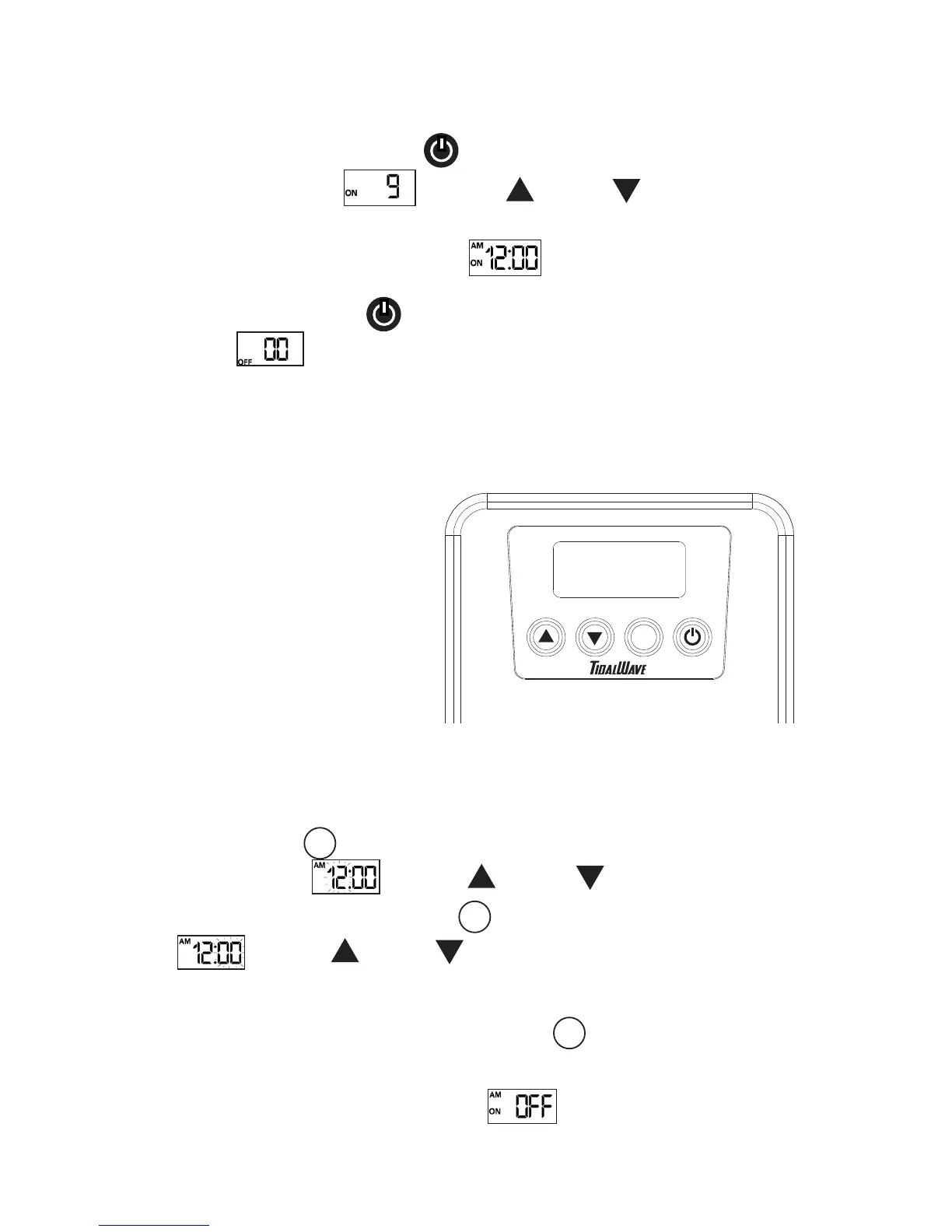
Press and hold the set button for three seconds to enter the program functions. The
hour will begin to blink. Use the up and down buttons to select the hour.
After you have selected the hour, press the set button and the minutes will begin to
blink. Use the up and down buttons to select the minutes.
SET
SET
Setting the Timer
When you are satisfied with the Clock setting, press the set button and you will
enter the timer features. A small ON will be displayed on the left of the screen and a large
OFF will be flashing in the center of the screen. This indicates that the START
timer is currently turned OFF.
SET
Programming the VSC
The TidalWave VSC is equipped
with a time of day clock and an
START/STOP timer feature. The
clock and timer do not need to be
programmed to operate the VSC.
Programming the clock and timer
must be performed via the buttons
and display located on the VSC
control box. After ten seconds of
inactivity during any part of the
programming sequence the
selection will be entered and the
VSC will exit the program functions
and return to the main clock display.
SET
VARIABLE SPEED CONTROLLER
To turn the pump o press the power button. The word OFF and a 00 flow level will
be displayed. The VSC will retain the flow setting when powered o. When power
is restored, the VSC will start the pump at full power for three seconds and then return to
the previous setting.
To turn the pump on, press the power button. The word ON and the flow level will
be displayed on the screen. Use the up and down buttons to control the
flow. Each time the flow is adjusted, the level will be displayed for three seconds and then
will return to the main “time of day” display.
Operation
The TidalWave VSC can be operated via the buttons on the control panel or the remote.
Note: The remote control requires 2 AAA batteries (not included).


 To Next Page