EasyManua.ls Logo

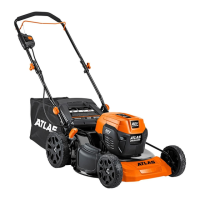
Atlas 56998 - User Manual

Default Icon
20 pages
Print Icon
To Next Page IconTo Next Page
Loading...
!"##$
%&'(
!"##)
*+,-.%/01+,,+2
34'4560&/67+8'45+695:6(551:;;777<(9/80/-/+4=(5<>0?
@?94,60&/65+>(A4>9,6'&110/5695:61/02&>5'&110/5B(9/80/-/+4=(5<>0?
C955+/D69A26>(9/=+/6'0,26'+19/95+,D
Owners Manual & Safety Instructions
Save This Manual Keep this manual for the safety warnings and precautions, assembly,
operating, inspection, maintenance and cleaning procedures. Write the product’s serial number in the
back of the manual near the assembly diagram (or month and year of purchase if product has no number).
Keep this manual and the receipt in a safe and dry place for future reference. 19k
When unpacking, make sure that the product is intact
and undamaged. If any parts are missing or broken,
please call 1-888-866-5797 as soon as possible.
Copyright
©
2019 by Harbor Freight Tools
®
. All rights reserved.
No portion of this manual or any artwork contained herein may be reproduced in
any shape or form without the express written consent of Harbor Freight Tools.
Diagrams within this manual may not be drawn proportionally. Due to continuing
improvements, actual product may differ slightly from the product described herein.
Tools required for assembly an d se rv ic e may n ot b e in cl uded.
Read this material before using this product.
Failure to do so can result in serious injury.
SAVE THIS MANUAL.

Questions and Answers

  • A
    April SinghAug 9, 2025
    Why won't my Atlas 56998 Lawn Mower start?
    • T
      Tony FowlerAug 9, 2025
      If your Atlas Lawn Mower won't start, several factors could be at play. First, ensure the battery packs are correctly inserted and locked. Then, verify they're adequately charged and that the charger is functioning. Also, check that the safety key is properly installed. A jammed blade due to grass can also prevent starting, so clean the blade. If none of these steps work, internal damage or wear may be the cause, requiring service by a qualified technician.
  • D
    donnahorneAug 14, 2025
    What to do if the blade on my Atlas 56998 does not spin properly?
    • S
      seanandersonAug 15, 2025
      If the blade of your Atlas Lawn Mower isn't spinning correctly, start by stopping the mower, removing the safety key and battery pack(s). Then, check if the blade is loose and torque the blade bolt to 28 ft-lb (33 N-m). Also, a dirty blade can prevent proper spinning, so ensure you clean it. Other potential causes include an unbalanced blade or damaged internal parts, which would require service by a qualified technician.
  • S
    sydney49Aug 21, 2025
    What to do if my Atlas Lawn Mower stops during use?
    • S
      Shelley HarperAug 21, 2025
      If your Atlas Lawn Mower stops during use, it may be due to the thermal overload protection being tripped. To resolve this, remove the safety key and battery pack(s) and allow the mower to cool down for at least 15 minutes.
  • E
    Eric SmithAug 27, 2025
    Why is my Atlas 56998 making excessive noise and vibration?
    • S
      Stephen HoltAug 27, 2025
      Excessive noise or vibration in your Atlas Lawn Mower can stem from several blade-related issues or motor problems. A dull, bent, broken, or unbalanced blade can cause these symptoms, requiring a qualified technician to sharpen, replace, or balance it. Additionally, a broken motor shaft can lead to excessive noise or vibration, in which case you should have your machine serviced by a qualified technician.
  • M
    Michael SmithSep 2, 2025
    Why is my Atlas Lawn Mower hard to push?
    • P
      patricklangSep 2, 2025
      If your Atlas Lawn Mower is hard to push, consider these factors: * If the grass is too tall, raise the blade height. * If the grass catcher is full, empty it. * If the grass is wet, wait until it dries before mowing.

Summary

Warning Symbols and Definitions

DANGER Symbol

Indicates a hazardous situation which, if not avoided, will result in death or serious injury.

WARNING Symbol

Indicates a hazardous situation which, if not avoided, could result in death or serious injury.

Important Safety Instructions

General Safety Precautions

Basic safety precautions for electric lawn mowers to reduce risks.

Operational Safety

Covers safe operation practices like blade maintenance, avoiding foreign objects, and using accessories.

Battery Precautions

Lithium Battery Safety Warnings

Handling and Disposal

Warnings regarding battery handling, storage, and disposal to prevent fire or explosion.

Personal Safety and Hazards

Safe Operation Practices

General Mowing Guidelines

Essential guidelines for safe and effective mower operation, avoiding hazards.

Child Safety Measures

Measures to keep children safe from the mower during use.

Service and Maintenance

Setup - Before Use

Assembly Instructions

Attaching the Upper Handle

Step-by-step guide for assembling the upper handle to the lower handle.

Operating Instructions

Adjust Blade Height

General Operation

Starting the Self-Propelled Mower

How to start and operate the 56992 self-propelled model, including speed control.

Maintenance and Servicing

Pre-Use Checks and Blade Inspection

Inspecting the tool before use and checking the blade for damage and tightness.

Troubleshooting

Common Problems and Solutions

A guide to diagnosing and resolving common issues with the mower.

Atlas 56998 Specifications

General IconGeneral
BrandAtlas
Model56998
CategoryLawn Mower
LanguageEnglish

Related product manuals