Operation and maintenance manual - EN
EN
www.atmos.cz
EN-47
38. Control and setting of the burner
Display and control panel
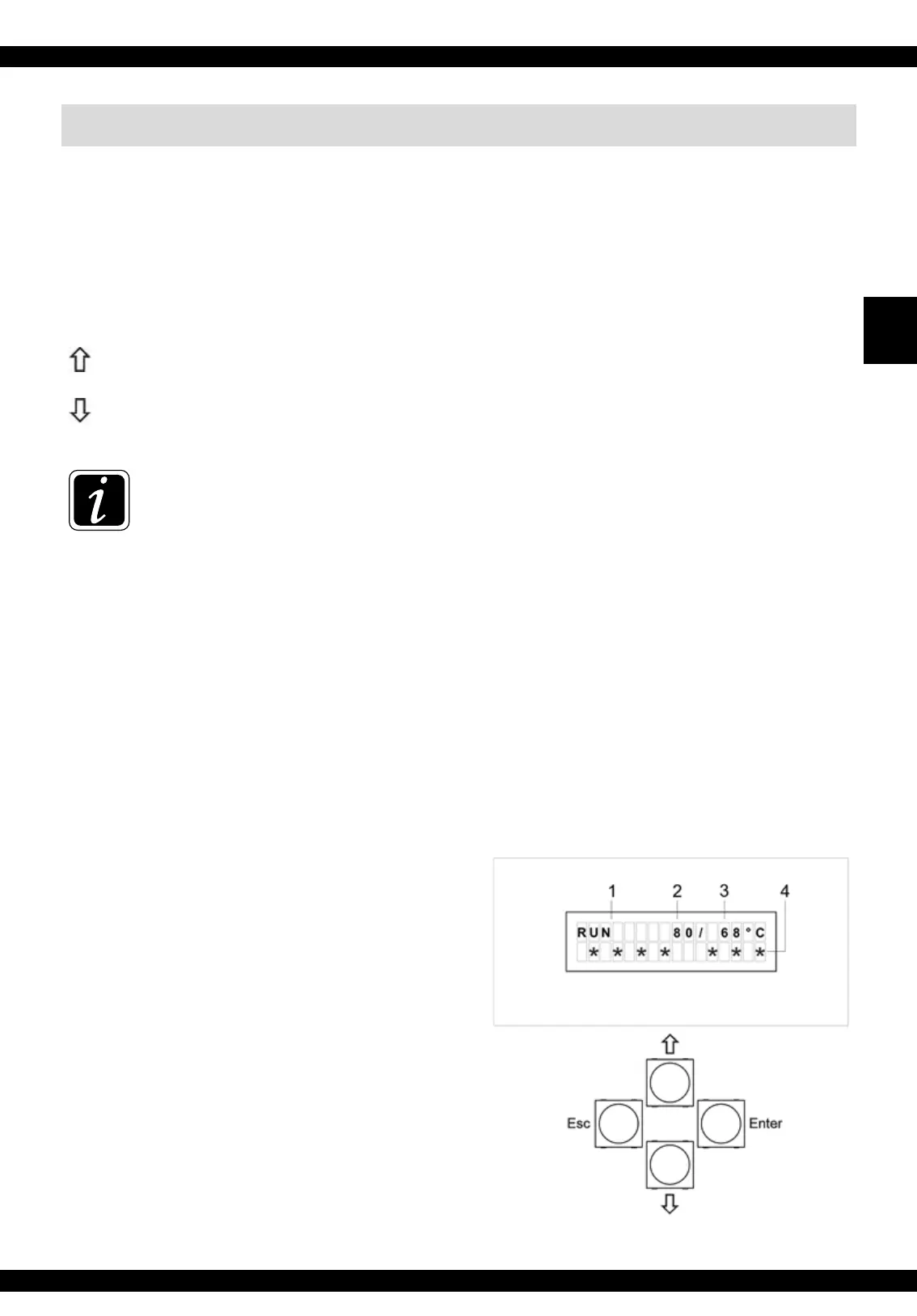
The electronic control unit of the burner is equipped with four keys for easy and intuitive control.
Enter - key for confirming a command and parameter or for entering a menu
Esc - key for return from a menu
Up arrow - key for browsing in the menus or for increasing the value of a parameter
Down arrow - key for browsing in the menus or for decreasing the value of a parameter
INFO - To open the Main Menu, press the Enter key.
The PAR A MET ER submenu will appear on the display. To change the basic permitted parameters
of the burner, confirm again - press the Enter key.
To switch off OFF (STOP) or to switch on ON (START) the burner or to get to the INFORMATION,
PASSWORD
or TESTING submenus, do not confirm the ( PA R AMETER) submenu, but continue
with the up or down arrow. Always confirm the ON (START) and OFF (STOP) command or
entering the particular submenu by pressing the Enter key. In the same way you can browse and
open individual menus and particular parameters in the menus. You can enter specific values or
numbers with the up ( + ) or down ( - ) arrow. Confirm the desired value with the Enter key. To
return one step backwards or completely to the main screen press the Esc key once or repeatedly.
Display with keys:
1. Information about the burner status
START – start-up stage
RUN – normal operation
STOP – burning-down stage or
stand-by mode
2. Temeperature TV (see page 74) – only if TS
and TV sensor are connected
3. Temeperature TS (see page 74) – only if TS
and TV sensor are connected
4. Symbol line – information about the
operation of particular devices of
the burner (see page 81)



 To Next Page
 Loading...