EasyManua.ls Logo

ATOMI AT1705 - User Manual

Default Icon
4 pages
Print Icon
To Next Page IconTo Next Page
Loading...
Need assistance?
WE
CAN
HELP
DO NOT RETURN THIS
PRODUCT TO THE STORE
Call 1-800-757-1440
Mon-Fri 9:00 a.m. - 5:00 p.m. EST (US)
or email us at info@atomiusa.com
Date Code: 10/21
User Manual
55W Qi Multi-Po
Charge Station
WE APPRECIATE FEEDBACK!
Please allow our customer service team to help
with any issues before you leave a review.
/atomismainc
/atomi_sma
@atomi.sma
15W Qi Wireless Charger + 20W USB-C PD Po
+ USB-C Pos + Sma USB Pos
Question and Answer IconNeed help?

Do you have a question about the ATOMI AT1705 and is the answer not in the manual?

Summary

55 W Qi Multi-Port Charge Station User Manual

Customer Support and Feedback

Provides contact information, social media links, and encourages feedback before reviews.

Charging Your Devices

Connecting the Power Adapter

Instructions on connecting the AC cable to the charge station and plugging into an outlet.

Wireless Charging Placement

Guidance on placing a device on the Qi pad for wireless charging initiation.

Whats Inside the Box

Lists the included components: the charge station and AC cable.

Technical Specifications

Details input voltage, wireless output, PD output, and USB output specifications.

Using Charging Ports

Connecting Devices to Ports

Instructions for connecting devices to the Qi Charge Station's available ports.

Charging Multiple Devices

Information on the capacity to charge up to six devices simultaneously.

Charge Indicator Light

Indicator Light Status Meanings

Explains the meaning of solid blue, blinking, and off indicator lights for wireless charging.

Full Charge Indicator

Describes the indicator light changing to green and turning off after 30s when fully charged.

Safety Information

Safety Precautions and Usage Guidelines

Covers warnings regarding water, flames, cleaning, electric shock, power supply, and child supervision.

Overview

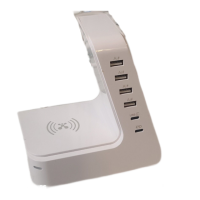
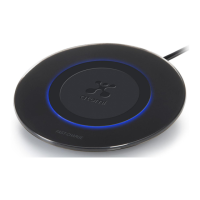
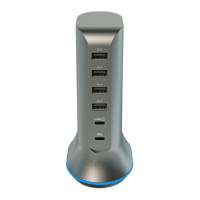
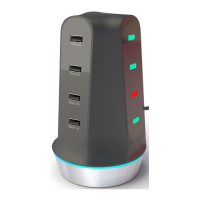
The Atomi 55W Qi Multi-Port Charge Station is a versatile charging device designed to power up almost every type of electronic device efficiently. This comprehensive charging station integrates multiple charging technologies, including a 15W Qi wireless charger, a 20W USB-C Power Delivery (PD) port, additional USB-C ports, and Smart USB ports, allowing users to charge up to six devices simultaneously.

Function Description:

The primary function of the Atomi 55W Qi Multi-Port Charge Station is to provide a centralized and efficient charging solution for a wide array of electronic devices. It combines wireless charging capabilities with multiple wired charging ports, catering to various device types and charging needs. The integrated 15W Qi wireless charger allows for convenient cable-free charging of compatible smartphones and other Qi-enabled devices. The 20W USB-C PD port is designed for fast charging of devices that support Power Delivery, such as modern smartphones, tablets, and even some laptops. In addition to the PD port, the station includes standard USB-C ports and Smart USB ports, which automatically detect the connected device and deliver the optimal charging current, ensuring efficient and safe charging for a broader range of gadgets. The device is engineered with Ai technologies to maximize charging efficiency across all ports.

Important Technical Specifications:

  • Input: 100-240V~50/60Hz 1.2A, making it suitable for international travel with appropriate plug adapters.
  • Wireless Output: 15W, providing fast wireless charging for compatible devices.
  • PD Output: 5V=3A, 9V=2.22A, 12V=1.67A, with a maximum power output of 20W. This allows for rapid charging of PD-compatible devices.
  • Type-C + USB Output: Each port delivers 5V=2.4A, ensuring consistent and reliable charging for standard USB and USB-C devices.
  • Total 5V Output: The station has a total maximum output of 4A across all 5V ports, distributing power efficiently among multiple connected devices.
  • Charging Capacity: Capable of charging up to 6 devices simultaneously (1 wirelessly, 5 via wired connections).

Usage Features:

The Atomi 55W Qi Multi-Port Charge Station is designed for ease of use and convenience.

  1. Setup: To begin, connect the included AC cable to the port on the back of the Qi Charge Station and then plug it into any nearby electrical outlet.
  2. Wireless Charging: For wireless charging, simply place your Qi-enabled device on the top surface of the Qi Charge Station. The device can be placed in various positions on the charging pad, and charging will commence upon proper contact.
  3. Wired Charging: For wired charging, connect your devices to the available USB-C PD port, standard USB-C ports, or Smart USB ports using the appropriate cables provided with your respective devices. The station's intelligent design allows for simultaneous charging of multiple devices.
  4. Charge Indicator Light: The station features an indicator light specifically for the Qi Wireless charging function.
    • A blue solid light indicates that the device is actively charging wirelessly.
    • A blinking indicator light signifies that the phone is not properly aligned with the charging area on the Qi pad, preventing charging.
    • If the indicator light is off, it means there is no charging occurring wirelessly.
    • Once a device is fully charged, the indicator light will turn green and then switch off after 30 seconds, providing a clear visual cue of charging status.

Maintenance Features:

Maintaining the Atomi 55W Qi Multi-Port Charge Station is straightforward, focusing on safety and longevity.

  • Cleaning: The device should only be cleaned with a dry cloth. Avoid using liquids or abrasive cleaners that could damage the unit.
  • Environmental Precautions: It is crucial to keep the Qi Charge Station away from water, rain, moisture, and open flames (such as candles, heat sources, radiators, and stoves) to prevent damage and ensure safe operation.
  • Grounding: To mitigate the risk of electric shock, grounding continuity must be maintained.
  • Power Supply: When connecting to a power supply outside the U.S.A., ensure to use an attachment plug adapter of the proper configuration for the local power outlet. Always verify that the output voltage and current of the power supply are suitable for the product before use.
  • Child Safety: Children should be supervised to ensure they do not play with the appliance, preventing potential accidents or damage.

The product comes with a one-year limited warranty from the date of purchase, covering defects in material and workmanship. For any questions or concerns, customers can contact Atomi Inc. via email at info@atomiusa.com or by phone at 1-800-757-1440 (Mon-Fri 9:00 a.m. - 5:00 p.m. EST (US)). The manufacturer also emphasizes not returning the product to the store for assistance but rather contacting their customer service team directly.

ATOMI AT1705 Specifications

General IconGeneral
BrandATOMI
ModelAT1705
CategoryBattery Charger
LanguageEnglish

Related product manuals