Cobalt Battery Removal/ Replacement:
Atomic Aquatics, Inc. 714-375-1433 www.atomicaquatics.com
Battery Removal
The four battery door screws use a T-9 driver
or a 3/32" hex key. A 2.5mm hex key can
work, but is a bit too large. When the screws
are completely removed you can use a flat
screwdriver in the slot where the hose cover
comes out to pry off the lid over the battery-
it seals very!tightly, so it will take some force
to pry the door open. Once the lid is off you
will see the battery with three wires and a
connector attached to three pins coming
directly out of the Cobalt's case. You just
need to remove this battery connector from
the pins.!
Restoring Firmware
!If the internal firmware needs to be restored after a failed update attempt, this should be done
while the battery is removed, using either the Cobalt_firmware_update_Mac application or the
Windows firmware updater.! The updater requires an extra step!if no battery is present- you must
unplug and replug the USB cable from the Cobalt after starting the update process.
Replace Battery and Restart
Cobalt
The battery connector can only be
plugged in one way. You can leave it
unplugged as long as you like- no
memory will be lost, but plugging in the
battery needs to be done with a single
quick motion so as to provide the
processor with an appropriate reset. If
for some reason the Cobalt doesn't
start up in 20-30 seconds, try removing
and replacing the battery connector
again.!
If the computer does not start up when the battery in replaced, either the battery is dead (possible
if it has been sitting a long time) or the firmware internally has become damaged- this can happen
if the firmware update process was interrupted by pulling off a cable mid-stream, for instance.!See
restoring the firmware above.

 Need help?
 General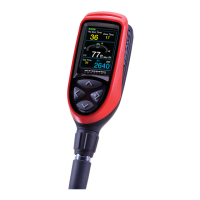

 To Next Page
