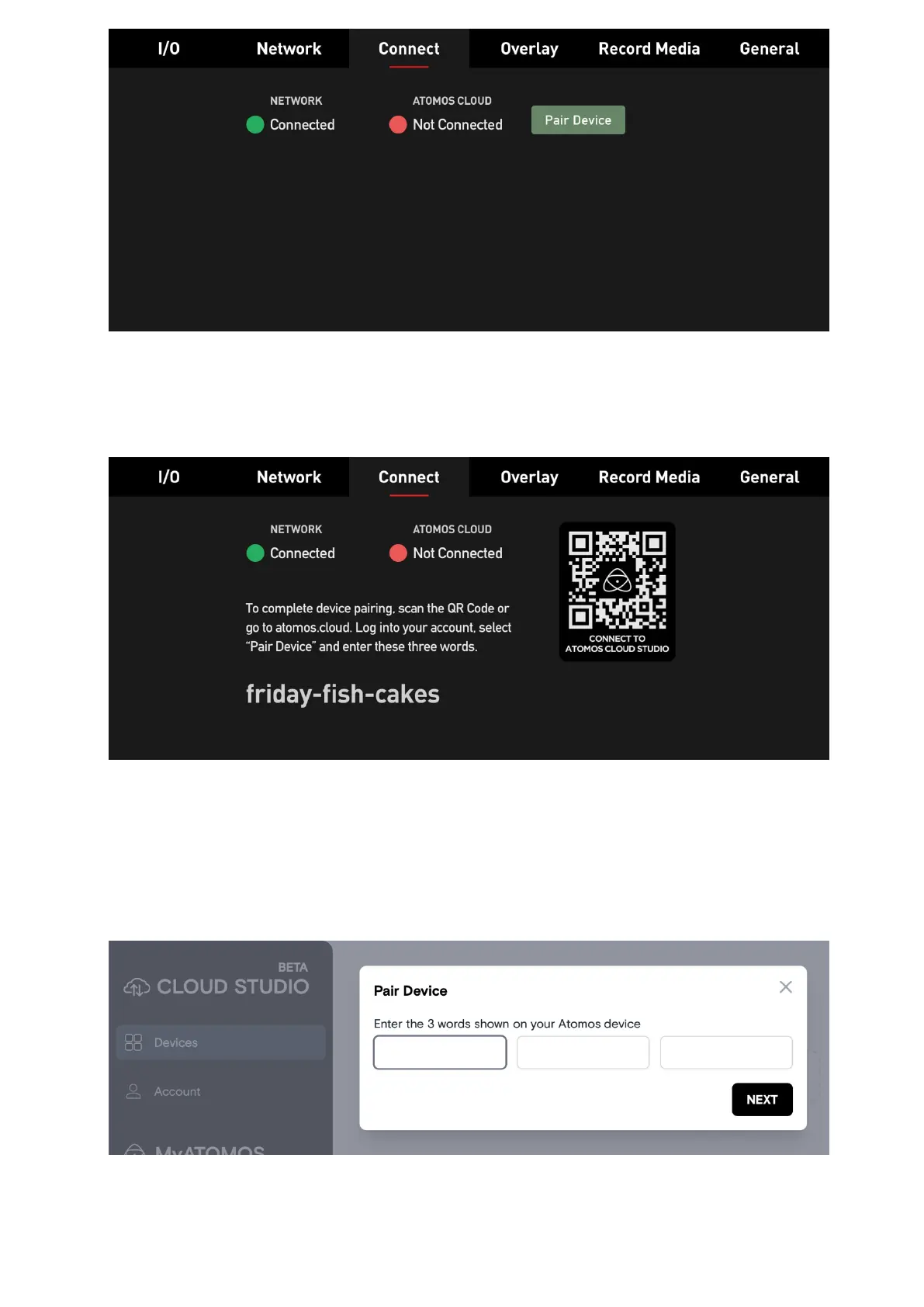
Press "Pair Device". The ZATO CONNECT now communicates with Atomos Cloud Studio
and is assigned a unique three-word-combination, which is displayed in the Connect menu
along with a!QR code.
Scan the QR code to connect to Atomos Cloud Studio on your mobile device, or navigate to
atomos.cloud on a desktop browser. Either sign up for a new account, or log in to an
existing account. Once logged in, press the "Pair Device" button and enter the three words
from the ZATO CONNECT's Connect menu. After entering the words, give your device a
nickname.
After going through the initial setup steps, the ZATO CONNECT will be paired with your
Atomos Cloud account. The Devices tab updates to show an image of the device you paired



 To Next Page