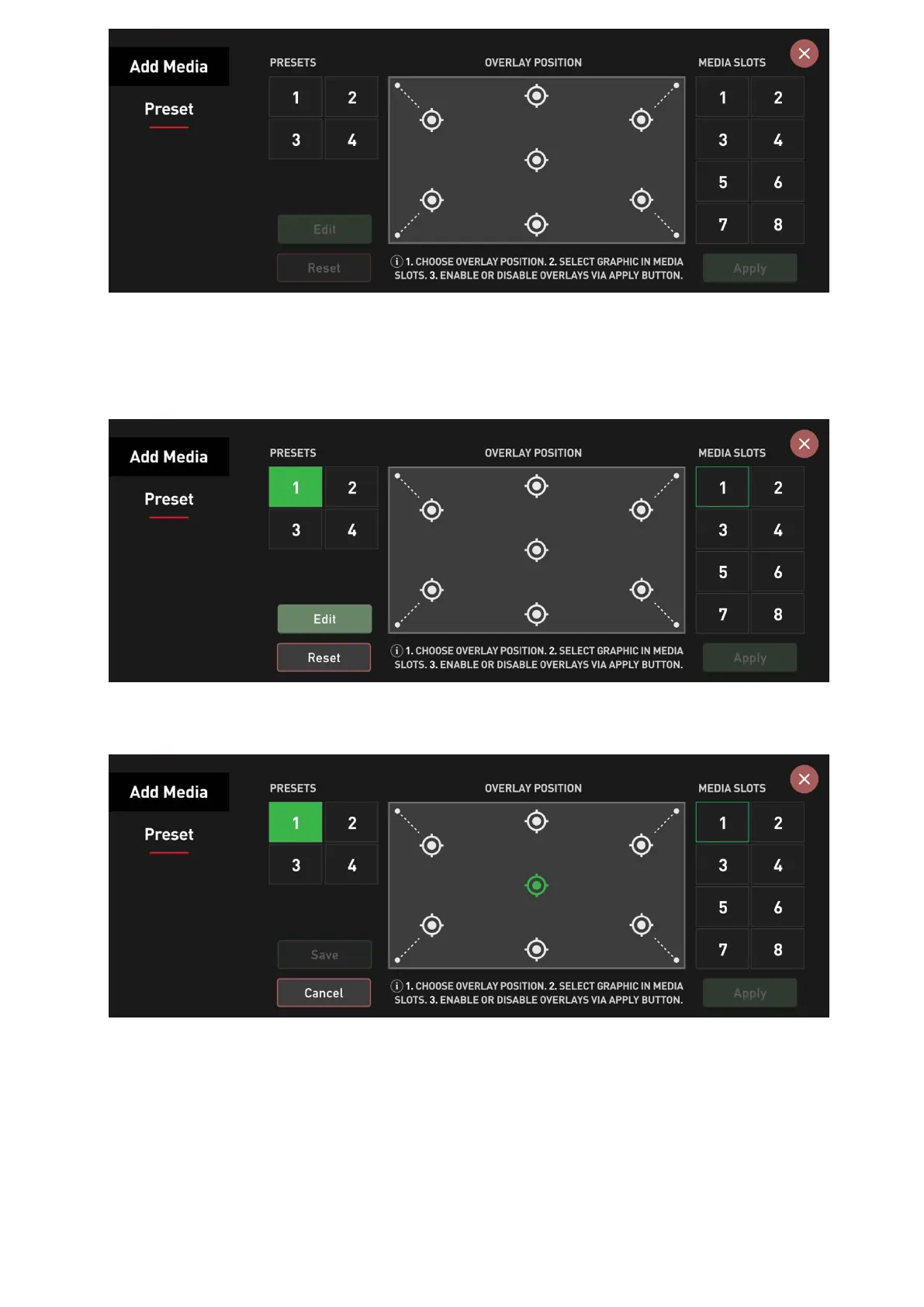
Before you can add an overlay graphic to your image, you need to create a preset. Press on
the Preset you want to use and then on Edit, allowing you to configure it freely and to your
liking.
Next, select the Overlay Position you want to assign a PNG graphic to.
After that, select the graphic you want to use from the Media Slots on the right and press
Save.



 To Next Page