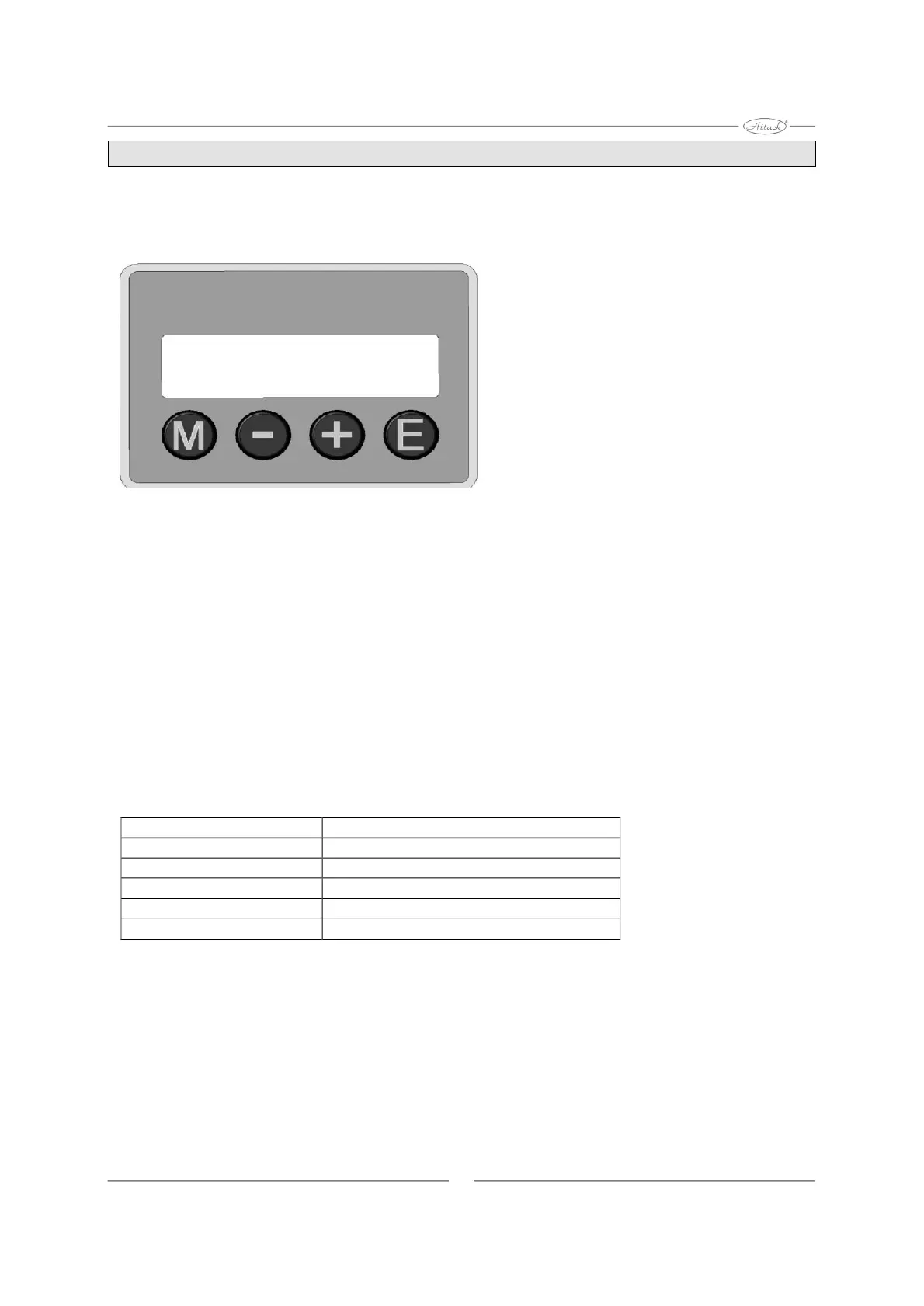
Menu push-buttons and their functions
Factory settings
How to change pellet burner settings:
M
-
+
E
By using the menu push-buttons below the display you can adjust the burner functions.
(Please, see also setting options under the below).
Menu/Enter: For activating the different menus and entering/saving of changes.
For going backwards in the menu and decreasing of adjustable values.
For going forward in the menu and increasing of adjustable values.
Exit/Escape: For going out of the menu without saving of new values.
The values, which can be set by a normal user, are shown in following table:
MENU Explanation
OUTPUT OPTION The desired output option (1, 2 or 3)
PELLETS TRIM Adjusting the amount of pellets fed in
LOGGING Storing faults for follow-up purposes
BURNING OUT Forcing the burner into a burn-out
ADVANCED MENU
8
Access to professional menu via code


 To Next Page