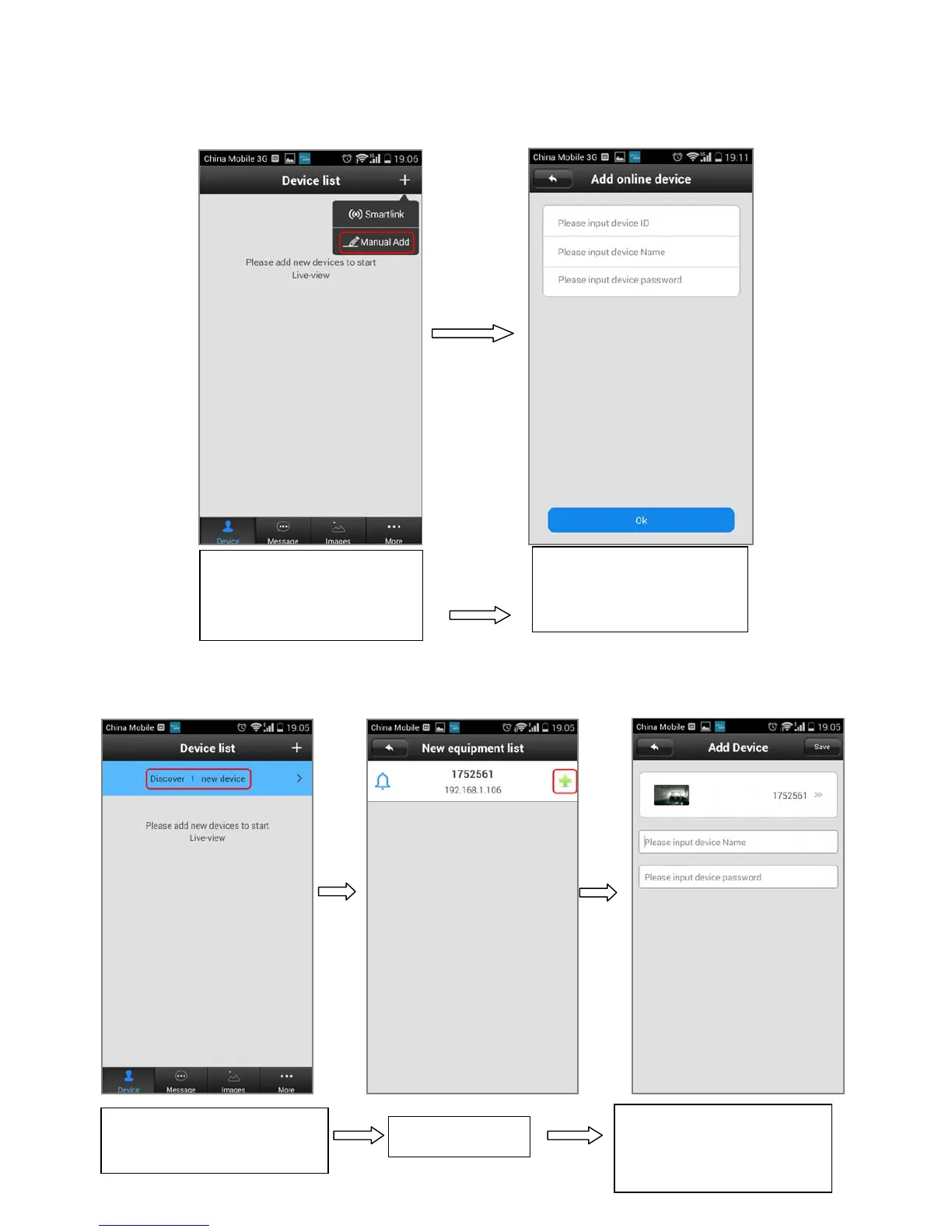
Remark: For security purpose, there is no default password, which need the user set the device password
for the first time. (Password must be 6-30 characters, including alphabetic and number.)
3. Add doorbell remotely, choose “Manual Add”.
4. Connect doorbell in same LAN with RJ45.
1. Open the software. Click
on “+” on the top right and
choose “Manual Add”.
2. Input device ID, name
and password and click
“Ok” button.
1.Open the software. Click
on “Discover 1 new device”
2.Click “+”
3. Input device name and
password and click “Save”
button on top right


 To Next Page