EasyManua.ls Logo

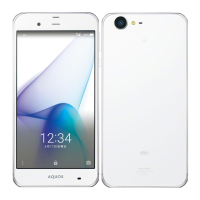
AU AQUOS Serie User Manual

AU AQUOS Serie
28 pages
To Next Page IconTo Next Page
Page #1 background imageLoading...
Page #1 background image
~~~~
BasicManual
CellphoneandPHSoperatorscollectandrecycleunused
telephones,batteriesandbatterychargersatstoresbearing
thelogoregardlessofbrandandmanufacturertoprotect
theenvironmentandreusevaluableresources.
濡れた状態での充電は、
異常な発熱焼損な
原因大変危険です
CustomerServiceCenter
Forinquiries,call:
Forgeneralinformation,charges,andoperationassistance
(tollfree)
Fromfixed-linephones: Fromaucellphones:
areacodenotrequired
Fromfixed-linephones: Fromaucellphones:
Incaseabovenumbersarenotavailable,calltoll-free:
0120-977-033
(exceptOkinawa)
0120-977-699(Okinawa)
Forservicecancelationprocedureincaseoflossortheft
(tollfree)
onyouraucellphone.
KeitaiGuaranteeServiceCenter
Forloss,theftordamage(tollfree)
Fromfixed-linephones/aucellphones:
Businesshours:9:00to20:00(7daysaweek)
Businesshours:24hours(7daysaweek)
0120-925-919
The company names and product names appearing in this manual are
trademarks or registered trademarks of their respective holders.
For exemptions, refer to “Notes on Usage” available on the au homepage.
May2016,1stEdition
Soldby:KDDICORPORATION,
OKINAWACELLULARTELEPHONECOMPANY
Manufacturedby:SHARPCORPORATION
shv34e00hyo1.fm
[0/0]
shv34_e.book 0 ペー 2016年6月3日 金曜日 午前11時25

Questions and Answers:

AU AQUOS Serie Specifications

General IconGeneral
BrandAU
ModelAQUOS Serie
CategorySmartphone
LanguageEnglish

Summary

Preface

Operating Instructions

Guides on basic operations and where to find more details.

"Instruction Manual Application" (Japanese/English Version)

Details on using the on-device manual application for procedures.

Names and Functions of Parts

Front/Left Side/Right Side

Identifies and describes physical buttons and ports on the front, left, and right sides.

Using the au Nano IC Card 04

Using a microSD Memory Card

Charging

Charging with the Specified AC Adapter (Sold Separately)

Steps to charge the device using a common AC adapter.

Charging with a PC

Turning the Power On/Off

Turning the Power Off Forcibly

Booting in Safe Mode

Using the Feel Home

Using the Notification/Status Panel

Setting the Manner Mode

Setting App Permissions

Troubleshooting

Battery usage time is short.

Solutions for issues related to rapid battery drain.

Cannot make calls.

Troubleshooting steps for inability to make outgoing calls.

Cannot receive calls.

Troubleshooting steps for inability to receive incoming calls.

Cannot hear the other party.

Solutions for audio issues during calls.

Updating Software

After-Sales Service

When Asking for Repair

Information on how to get the product repaired under warranty or otherwise.

Customer Service Center (service cancelation procedure in case of loss or theft)

Keitai Guarantee Service Center (for loss, theft or damage)

SIM-Unlocking the Product

Main Specifications

Battery - CAUTION

FCC RF Exposure Information