
 Need help?
Do you have a question about the Audibax BOSTON 10 and is the answer not in the manual?
Covers professional use, hazard prevention, environmental conditions, and installation safety.
Regular checks for wire condition and screw tightness for optimal performance.
Instructions for cleaning lenses and reflectors to maintain light quality.
Detailed steps to diagnose and resolve issues like no light output, DMX control problems, and belt damage.
Ensuring all components are present and checking for transportation damage before operation.
Covers safety distances, power voltage, ventilation, secure fixing, and earthing.
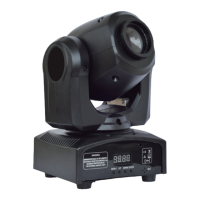
Visual guide identifying key parts like light emitting, thermovent, and function buttons.
Explanation of how to navigate menus and confirm selections using control panel buttons.
Details on each DMX channel's function, range, and effect on the spot light.
Key technical details including model, power, LED spec, lifetime, and operating environment.
Details on each DMX channel's function, range, and effect on the spot light.
How to set the DMX address for communication with controllers.
Options for selecting the number of DMX channels (11CH or 9CH).
Setting up the unit to operate as a master or slave device.
Choosing from predefined memory effects (SH0-SH3).
Enabling sound mode and adjusting sensitivity for audio-reactive operation.
Setting operational modes like bLAc, HLod, Soun, and Auto.
Controlling the display panel's backlight behavior.
Option to reverse the display font for better readability.
Reversing the direction of X-axis (RPAN) and Y-axis (rTiL) movement.
Procedure to reset the lamp to its factory default settings.
Fine-tuning motor data biases for X, Y, and pattern, and restoring factory defaults.
 General
| Brand | Audibax |
|---|---|
| Model | BOSTON 10 |
| Category | Light Fixture |
| Language | English |

 To Next Page