EasyManua.ls Logo

Audien Atom Pro 2 - Page 11

Audien Atom Pro 2
16 pages
Print Icon
To Next Page IconTo Next Page
To Previous Page IconTo Previous Page
Loading...
8
CHARGING YOUR DEVICE
77
Wall Charger into outlet
USB SIDE
USB-C SIDE
Connect USB-side
into Wall Charger
Connect USB-C side into
Charging Dock
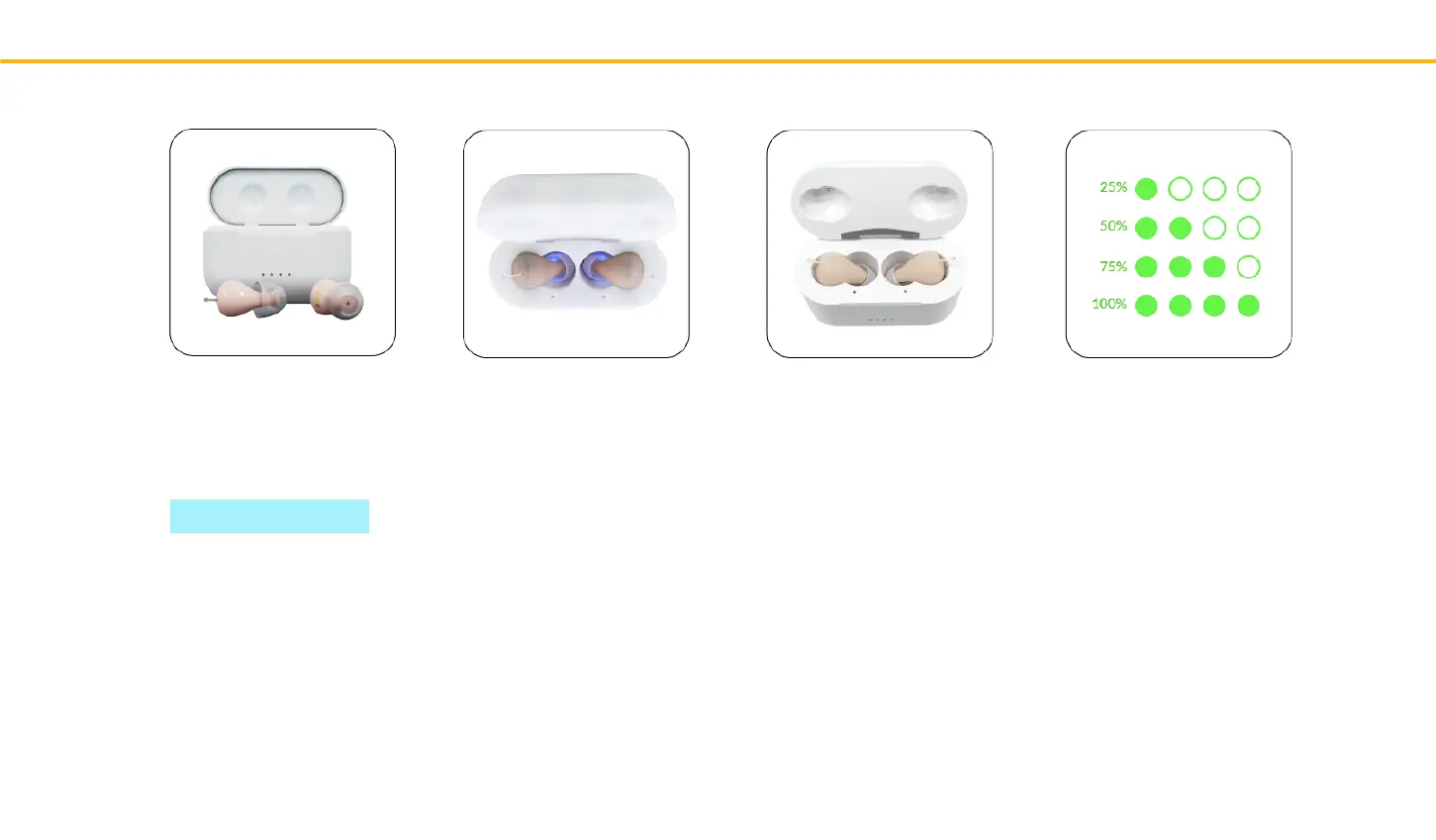
If you look inside
the Charging Dock,
you will noce a
hollow section.
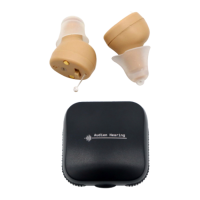
Atom Pro 2 uses UV light
to clean your devices by
killing bacteria that builds
up.
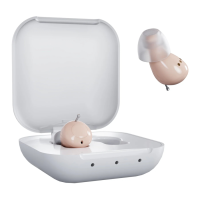
Lower the device
into the Charging
Case with earbuds
sliding into the
hollow secon.
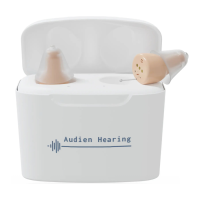
The 4 lights on the
case are the charging
indicators and show
the baery life of the
Atom Pro 2.
INTERNAL CASE CHARGING INDICATORS
Red light = Hearing aid is not fully charged yet
Green light = Hearing aid is fully charged.
Purple light = UV light sterilizaon
Charging Your Device
CHARGE TIME: 4 HOURS