6
Pairing spare remotes
All remotes are paired individually at the Audio Ape
factory with your receiver.
If you purchased a spare remote for your system it will
need to be paired with your existing system.
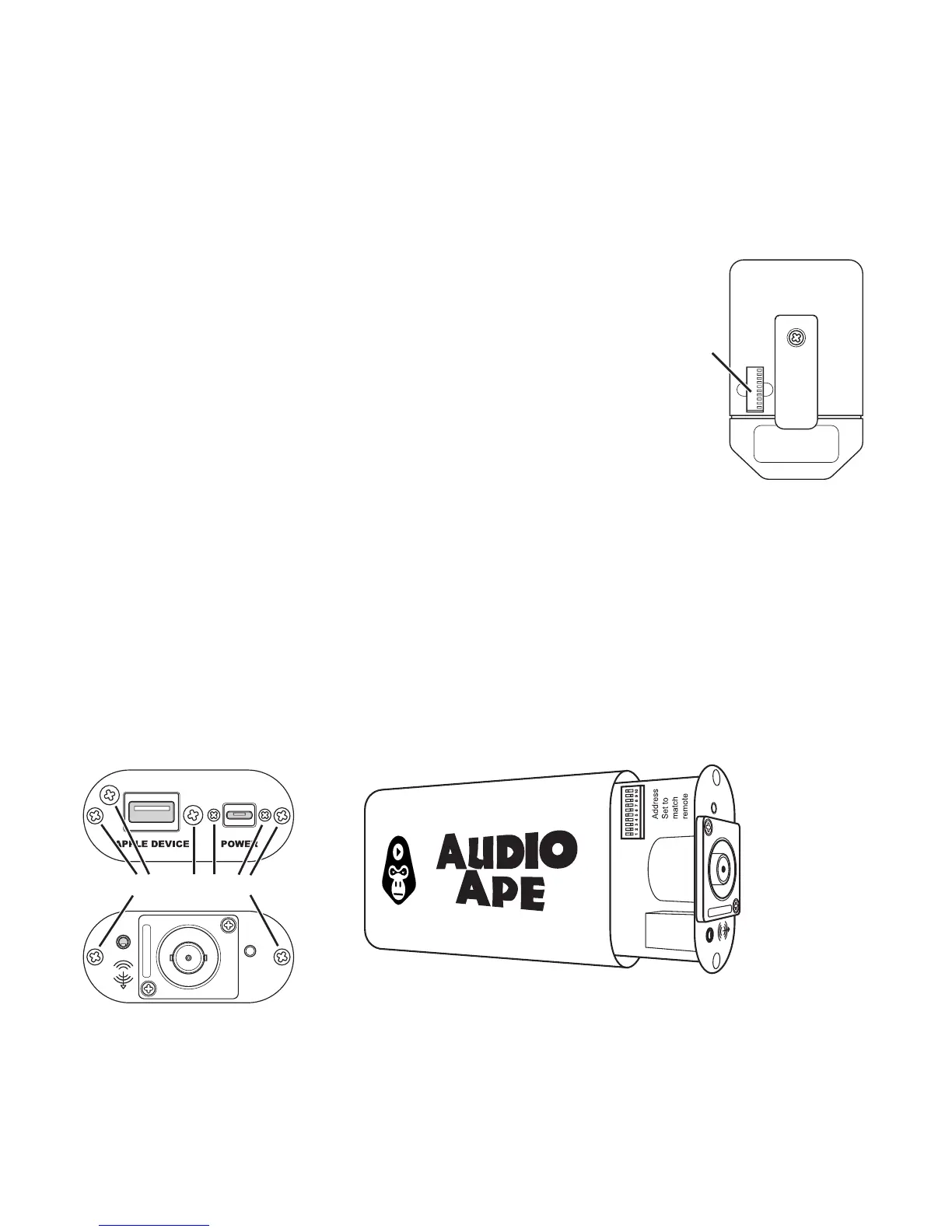
To pair a new spare remote, rst open the small back
compartment on your paired (working) remote. Here you
will a see a series of switches that can be set to the up or
down position. Using your working remote as a guide use
a paper clip to ip the switches on your spare remote
to match your working remote. Once set, quickly test to verify.
Checking the receiver’s address
If you are still having trouble you may want to check your receiver’s address.
To do this you will need a small Phillips screwdriver. On the back panel remove
all 6 screws. On the front of the receiver remove only the 2 far screws on the left
and the right side.
Remote
Address
Remove these screws



 To Next Page