13
Rev.2.10
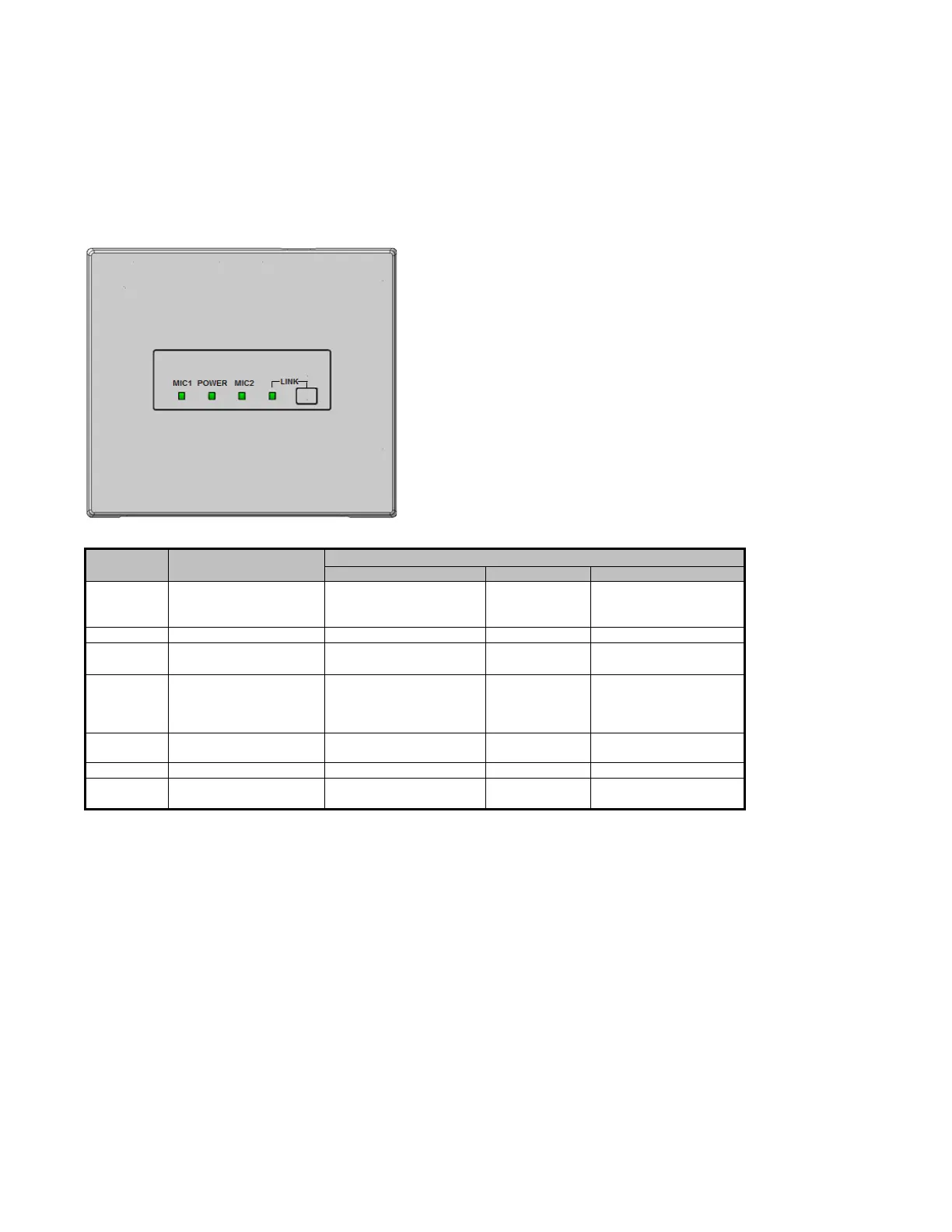
LED lighting indication
LED lighting indication 1 [POWER/MIC1/MIC2]
The three LEDs of this unit act as a status indicator, indicating signal reception. Those LEDs indicate the
operating states as shown in the table. Furthermore, the priority order of the indications is dependent on operating
states.
*1 E1 signal outputs and operating the volume button are only available with the K-STD14 microphone.
E2 outputs from the Teacher Microphone or alert button.
*2 The indicator lights green again three minutes after the E2 signal is turned off with the microphone, K-STD14.
After three minutes elapsed since the alert button is pressed, the receiver will turn off the red LED lights.
Memo:
When a microphone moves to the audio mute area*, the MIC1 or MIC2 LED turns off.
*Audio mute area: Refer to "Command List [SAA]”
With WAP (VPS*) System:
If the REC button is pressed, the LED display will change at the direction of the computer.
*VPS: View Pass Server
E2 signal output
provided*1
Red
(Lighting green at E2
ACK input provided)
Red *2
(Lighting green
at Power OFF)
Red
(Lighting green at E2
ACK input provided)
E1 signal output
provided*1
Red
(Lighting for 300 ms)
Microphone volume
button operated*1
No lighting
(No lighting for 300 ms at
operating volume button)
No lighting
(No lighting for 300ms at
operating volume
button)
Feedback blocker
operated
Yellow
(Lighting for 5 sec)


 To Next Page
 Loading...