Connection
The RHEA II is designed for operation at a mains voltage of 230 V/50 Hz AC, unless otherwise
specified on the amplifier module (2.4). Severe damage may occur to the RHEA II if operation is
attempted from a power source other than that indicated on the nameplate.
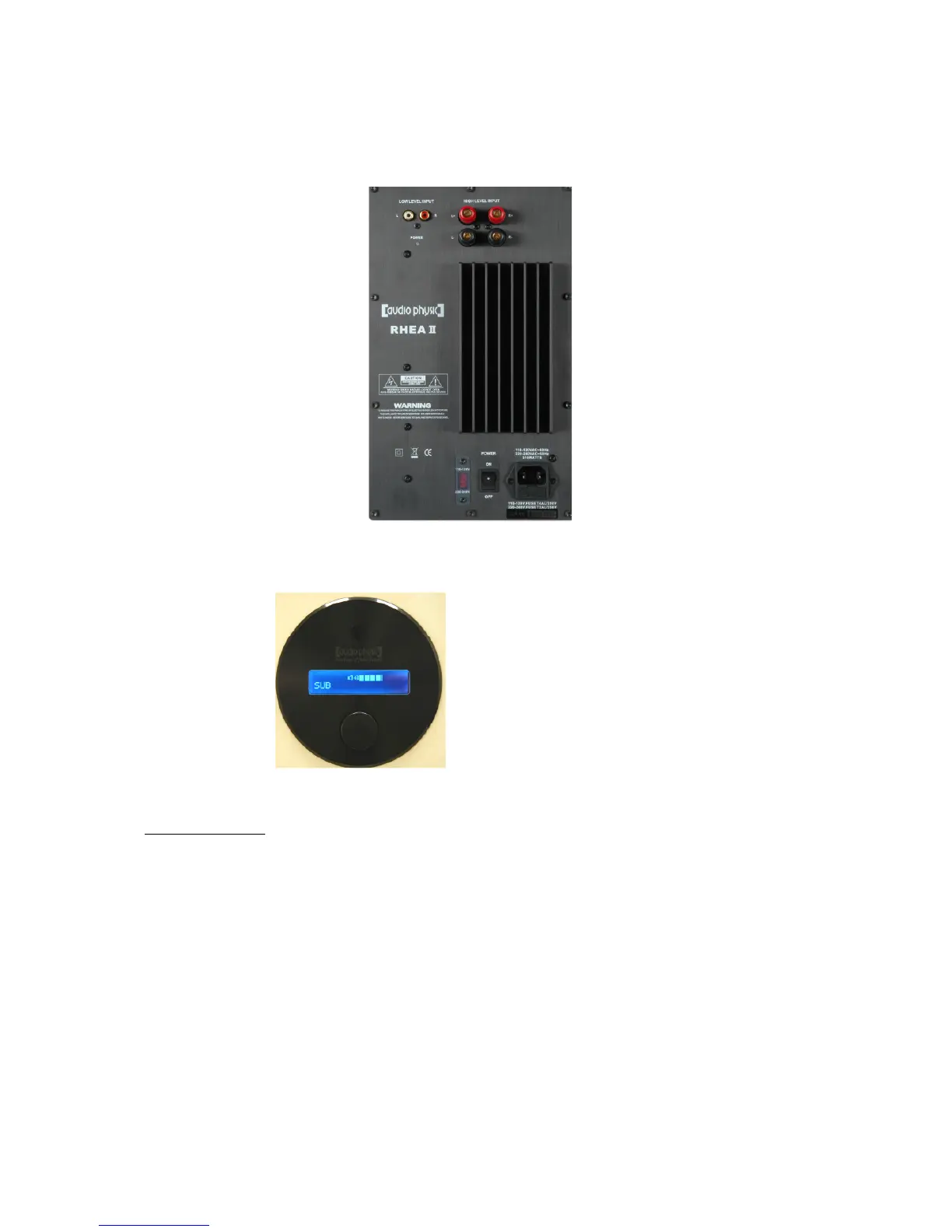
Amplifier Module
Low-level inputs (2.1)
Power indicator (2.2)
Mains voltage indicator (2.4)
Remote control receiver (2.7)
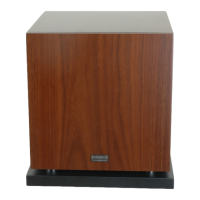
Display (2.8)
Multifunction switch (2.9)
Power connection:
Make sure that your local AC mains voltage matches the voltage specified and indicated in red (2.4).
Use the supplied power supply cable to connect the mains socket of the subwoofer (2.6) to a wall
socket.
Turn the main power switch to position "ON" (2.5) in order to check the operability of your RHEA II.
The indicator light will glow red.
Now turn the main power switch (2.5) to position "OFF" in order to switch the subwoofer off. Make sure
that you always switch off the RHEA II and the connected amplifier before you start to make changes
to the cables of the subwoofer in order to avoid damage to the subwoofer and to your amplifier.


 To Next Page