!
F
un
c
t
i
on
s
!
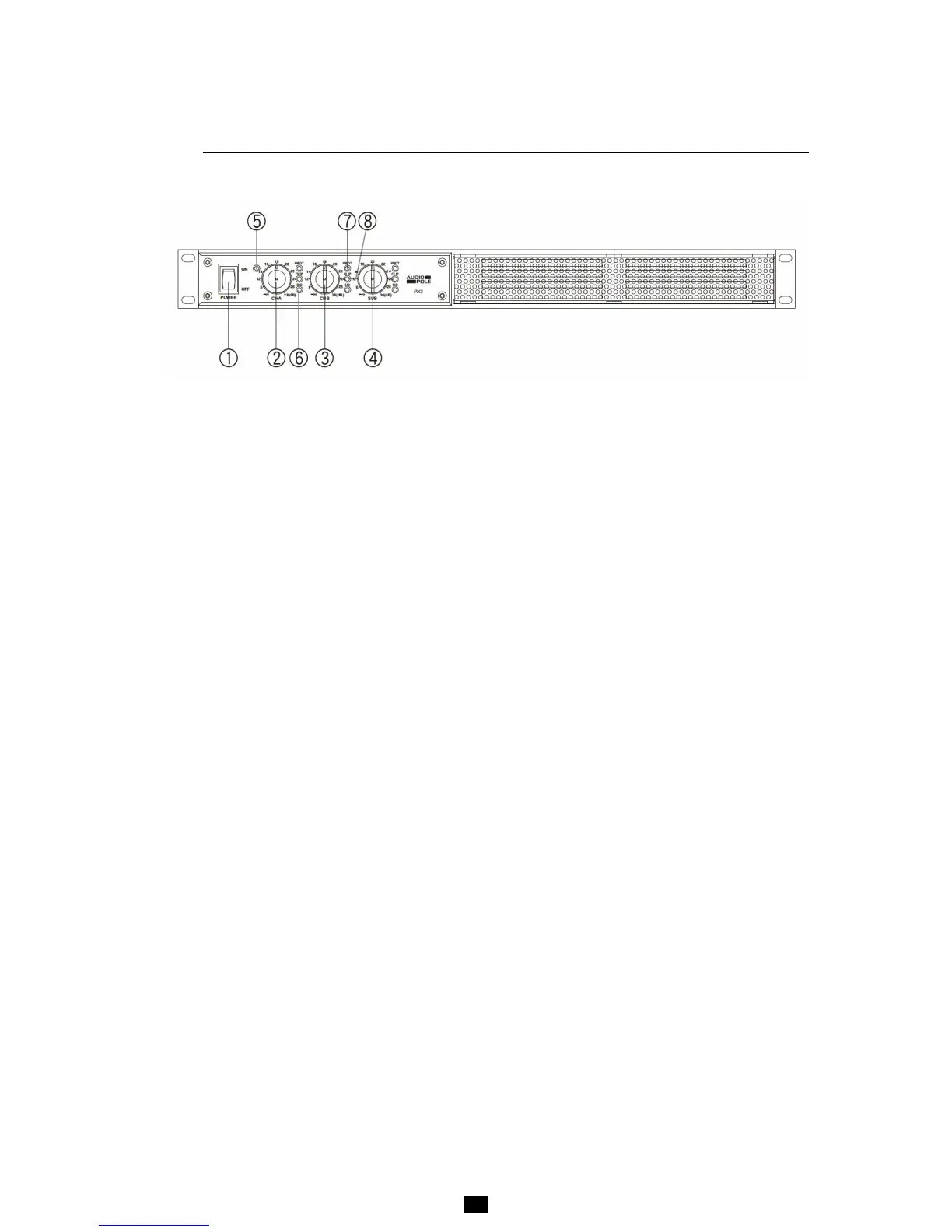
FRONT PANEL
!
!
1 – POWER
Power switch.
2, 3 & 4 –
V
o
l
u
m
e
Volume controls.
5 – POWER ON
Power indicator.
6 – SIG
Signal indicator.
7 –
PROT
Protection indicator. If the amplifier fails, the Led lights up, the output being automatically muted. Check
the cable connection between the amplifier and the speakers. Also check that the vent grille is not
obstructed. If the amplifier is installed into a bay, there is a risk that the cooling is not sufficient and the
temperature can raise to the upper limit level where the protect mode is triggered.
8 –
C
L
IP
Clipping indicator. The Led lights up as soon as the distortion rate exceeds 0.5%. The input level is too
high and it is necessary to decrease the volume.
! !



 To Next Page