
 Need help?
Do you have a question about the Audio Pro addon c-sub and is the answer not in the manual?
Adjusts the audio output level.
Connects the subwoofer using an RCA cable.
Automatically connects wirelessly via the rear button.
Connects wirelessly using the Audio Pro Control app.
Steps to connect the subwoofer to the power source.
Obtain the necessary mobile application.
Press and hold the Scan/Wi-Fi Setup button.
Covers basic safety, shock risks, and product handling.
Procedures for service, warnings on objects/liquids, and power cord use.
Covers amplifier, woofer, radiator, and dimensions.
 General
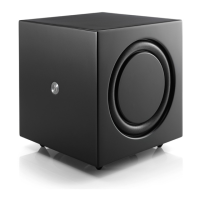
| Type | Active subwoofer |
|---|---|
| Power Output | 150 W |
| Frequency Response | 50Hz - 150Hz |
| Inputs | RCA |
| Outputs | RCA |
| Wireless | Yes |
| Crossover Frequency | 50 - 150 Hz |
| Phase Control | 0° - 180° |

 To Next Page