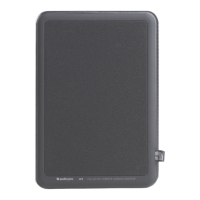
SPECIFICATIONS ADDON C3
Type: Powered portable stereo speaker with bass reflex
Battery: Up to 30h (at 50% vol). 12h at 100% vol.
(WiFi mode may have shorter battery time.)
Amplifier: Digital Class D amplifier, 2x5W + 1x15W
Tweeter: 2 x ¾” textile dome tweeter
Woofer: 1 x 3.5”
Frequency range: 60 – 20.000Hz
Crossover frequency: 5.200Hz
Dimensions HxWxD: 115 x 215 x 135 mm
Inputs: Bluetooth standard V4.0, Aux In 3.5mm stereo, Ethernet
Wireless network compatibility: 802.11 b/g/n, 2.4GHz only
Supported audio formats: MP3, WMA, AAC, FLAC, Apple Lossless
Power consumption WiFi/STB/ON: 01.8W/0.47W/3.8W
CHANGING BATTERY
Only use Audio Pro
original battery!
FAQ
MY SPEAKER WILL NOT CONNECT
TO MY NETWORK
• Make sure your mobile device is connected to your
wireless network before you try to connect your speaker.
• Place the speaker close to the router when carrying
out the setup. You can subsequently view the signal
strength for other positions in the app.
• Our speakers can only connect to a 2.4 GHz wireless
network.
• Try connecting the speaker with an Ethernet cable.
I GET THE MESSAGE
“DEVICE CONNECTION FAILED”
• Move the speaker closer to the router.
• Make sure your mobile device is connected to the
same network.
• Press the “Wi-Fi Connect” button on the rear of the
speaker and press the “Add Speaker” icon in the app.
MUSIC CUTS OUT/STUTTERS
OR EXPERIENCES DELAYS
• Make sure your internet connection is working
correctly.• Check for other devices in the network, they
might be using a lot of bandwidth. Especially down-
loads or the streaming of high resolution video.
• Check the signal strength in the Audio Pro app; if
the signal strength is low, move closer to the router or
connect using an Ethernet cable.
THE AUDIO IS DELAYED WHEN
CONNECTED TO MY TV
• Move the playback switch on the rear to “Input Play”.


 To Next Page