EXAMPLE CONNECTIONS
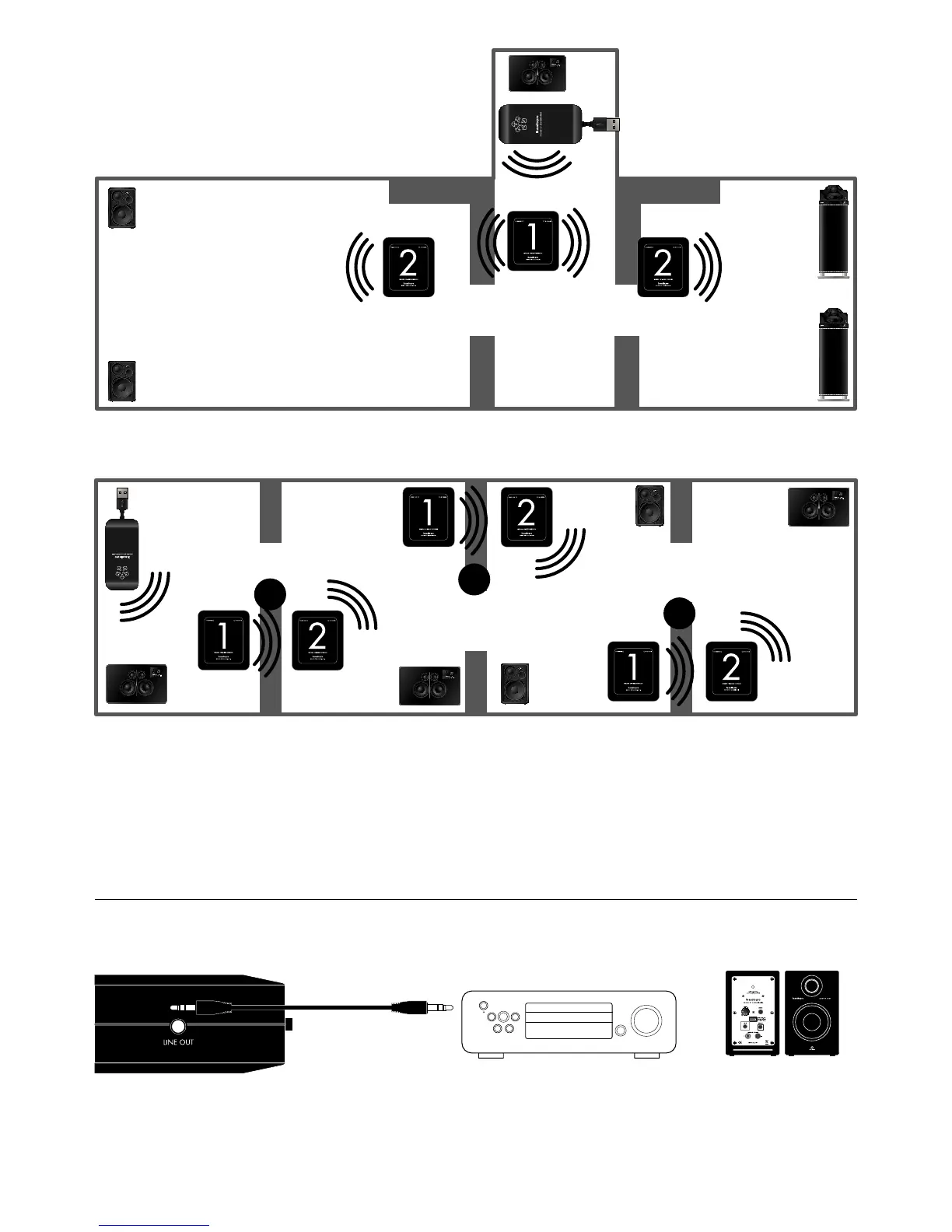
CONNECT DEVICE DIRECTLY BY CABLE TO WR200
There is a line output on both unit 1 and 2. With this feature you can connect a stereo/
receiver or powered speakers directly to the WR200 via a cable. The devices will then play
wireless audio at the same time as your wireless Living speakers.
Note: You can connect any device with line input.
If using more than one WR200 set, use different extender channels (X, Z and Y) for all sets.
Change the house code accordingly;
Set A: receive house code 1, send house code 2.
Set B: receive house code 2, send house code 3.
Set C: receive house code 3, send house code 1.
Stereo/Receiver Powered speakers
Unit 1 sending to two or more unit 2 modules.
(Unit 2 (WER202) modules of WR200 are
also sold separately.
4. EXTENDING NETWORK
IN DIFFERENT DIRECTIONS
5. EXTENDING NETWORK WITH UP TO THREE WR200 SETS
A
B
C



 To Next Page