
 Need help?
Do you have a question about the AUDIO REPUBLIC ARBSX1 and is the answer not in the manual?
Details output power, drive units, frequency response, separation, S/N, distortion, power supply, and dimensions.
Highlights the system's mini-HiFi quality, full audio spectrum performance, and included accessories like remote and 3.5mm connection.
Lists all items included in the product packaging, such as the subwoofer cabinet, remote control, user manual, and audio input cord.
Explains the operation of front panel buttons: ST-BY/SOURCE, /SCAN, VOL-, VOL+, K/TUN-, and /TUN+.
Identifies and lists the functions of all 14 buttons on the remote control.
Details the operation of remote buttons for input modes, volume, tuning, playback, and LED effects.
Identifies the ANTENNA, AUX INPUT, and AC IN ports on the rear of the speaker system.
Provides a visual guide and steps for connecting audio sources and powering on the system.
Lists items to pay attention to during use, including placement and avoiding magnetic interference.
States compliance with FCC Rules Part 15 for digital devices and outlines conditions for operation.
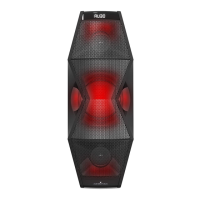
This document describes the Audio Republic Bluetooth Speaker ARBSX1, a quality mini-hifi speaker system designed for a comprehensive audio experience. It features a built-in amplifier and delivers full audio spectrum performances, making it ideal for various entertainment needs, including MP3, MP4, and digital playbacks. The system comes with a specially designed woofer cabinet for enhanced bass and resolution, a remote control for convenient operation, and a 3.5mm stereo connection for versatile connectivity.
The ARBSX1 speaker system offers multiple input modes and functionalities accessible via both the front panel and a remote control.
The remote control provides comprehensive control over the speaker system, including power, source selection, volume, tuning, and playback.
To enter BT mode, press the "SOURCE" button on the remote. The LED display will show "BI18" and the bottom right LED will flash for 2 seconds, indicating it's searching for a Bluetooth device. Turn on your mobile device's Bluetooth and search for "Audio Republic X1" to pair. Once successfully paired, the bottom right LED will stop flashing. When music plays, the LED will flash once per second. Functions like "PREVIOUS/NEXT" and "PLAY/PAUSE" can be operated via the front panel or remote. To force-disconnect a mobile device in BT mode, press the "" button for 3 seconds.
The ARBSX1 is designed for ease of use and versatility, offering multiple ways to enjoy audio.
To ensure optimal performance and longevity of the ARBSX1 speaker system, certain maintenance guidelines should be followed.
By adhering to these guidelines, users can ensure a reliable and enjoyable audio experience with their Audio Republic Bluetooth Speaker ARBSX1.
 General
| Configuration | 2-way |
|---|---|
| Sensitivity | 88dB |
| Impedance | 8 ohms |
| Tweeter Size | 1 inch |
| Color | Black |
| Speaker Type | Bookshelf |

 To Next Page