FRONTPANEL
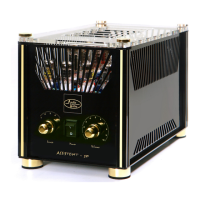
The front panel of the AVALON power amplifier
incorporates with a small panel filled with two switches.
These switches control the day to day function of the amplifier.
The operation of this two switches is like following:
MAIN SWITCH
This heavy duty rocker switch is at the right side
of this panel and switched the mains / line power of the
amplifier On or OFF. A blue LED immediatly beside the
switch illuminates to indicate that the power is ON.
This amplifier draws o moderate high current when
switched on. It is not good practice to repeatedly
active this switch ON and OFF rapidly.
STAND - BY SWITCH.
This switch on the left of the panel alters the operation
STAND BY of the amplifier. Switch down is operation
STAND BY , ( the LED is off).
REAR PANEL
The facilities on the rear panel of the AVALON may
seem not so complex. The rear panel incorporates all
of the terminals for connecting the input signals and
the output signals to the loadspeaker. A reasonable
understanding of this amplifier and the logical approach
should ensure that you are listening to this amplifier in a
very short space of time without any difficults at all.
Please remember that the AUDIO VALVE AVALON
power amplifier is a high quality electronic instrument
capable of an exeptioneal level of performance.
Be sure that you understanding your requirements fully
before you make any connection to this amplifier.



 To Next Page